Tweet Hunter review (2026): features, pricing and score
I connected Tweet Hunter to my test account: viral tweet search, composer, automations and queue. Score 8.3/10, with pros, cons and pricing from $29 a month.
We may earn a commission when you buy through our links. How we make money
Price
Free plan
Trial
Best for
Prices checked on October 3, 2026
What we liked
Large library of viral tweets, searchable by topic
Auto-retweet, auto-plug and auto-DM on each tweet
Queue planner that can read when your followers are active
Evergreen: your best tweets come back on their own
Profile automations, such as an auto-DM on your pinned post
Engage feeds that show only original tweets
What we liked less
The AI writer and the CRM start on the $49 Grow plan
AI tweets need a light edit to sound like you
Our verdict
Tweet Hunter is the tool to pick if you want to post on X every day without running out of ideas. It pairs a large library of viral tweets with a composer that sets automations tweet by tweet, a smart queue and evergreen reposts. If you post on X daily, I recommend it.
These are affiliate links. They never change what you pay.
Tweet Hunter is a growth tool for X built around a library of viral tweets, a composer with automations and a queue, from $29 a month with a 7-day free trial. In my test it scored 8.3/10, and it is worth it if you post on X every day. The AI writer and CRM start on the $49 Grow plan.
I connected Tweet Hunter to my test account on October 3, 2026 and used every screen it opens. This review covers features, pricing, safety and how Tweet Hunter compares with superX and Postiz.
How did I test Tweet Hunter?
I tested Tweet Hunter on my test account, then added what published tests show of the paid AI tools. My method is the same for every tool and is described on how I test X tools.
- Account: my test account, connected through X's authorization screen.
- Date: October 3, 2026, in Chrome on a Mac.
- What I used: the viral tweet search, the composer and its per-tweet automations, the queue planner, the profile automations, Engage, the AI settings and the plans page.
- AI writer, analytics and CRM: these features open with a paid plan. For them, I relied on 46 published pages and videos, including screen-by-screen video tours.
- What I did not do: publish anything. My test draft stayed a draft.
My score weighs five criteria:
| Criterion | Weight | Tweet Hunter |
|---|---|---|
| Features | 30% | 9 |
| Ease of use | 20% | 8 |
| AI quality | 20% | 7.5 |
| Value for money | 15% | 8 |
| Account safety | 15% | 8.5 |
| Total | 8.3 |
What is Tweet Hunter?
Tweet Hunter is a growth tool for X created in 2021 and now run by lempire, a company based in Paris that also makes Taplio for LinkedIn. It helps you:
- find tweet ideas;
- write and schedule them;
- automate the follow-up;
- track results.
It bills by monthly or yearly subscription.
Tweet Hunter at a glance
| Price | From $29 a month |
| Free plan | No |
| Trial | 7 days, card required |
| Network | X |
| Connected X accounts | 1 on Discover, 5 on Grow, unlimited above |
| Viral tweet library | 2M+ tweets on Discover |
| Auto-DMs | 3,000 to 15,000 a month depending on plan |
| Extras | Free Chrome extension, LinkedIn via Taplio |
| Company | lempire, Paris, France |
Who is Tweet Hunter for?
Tweet Hunter suits people who want a steady posting rhythm on X:
- creators who post every day and need ideas fast;
- founders who use auto-plug and auto-DM to share a product or a free resource;
- ghostwriters and agencies who run several X accounts (Grow and Enterprise).
If you publish on several networks, a multi-network scheduler such as Postiz fits better. See the best X growth tools for the full ranking.
How does Tweet Hunter setup work?
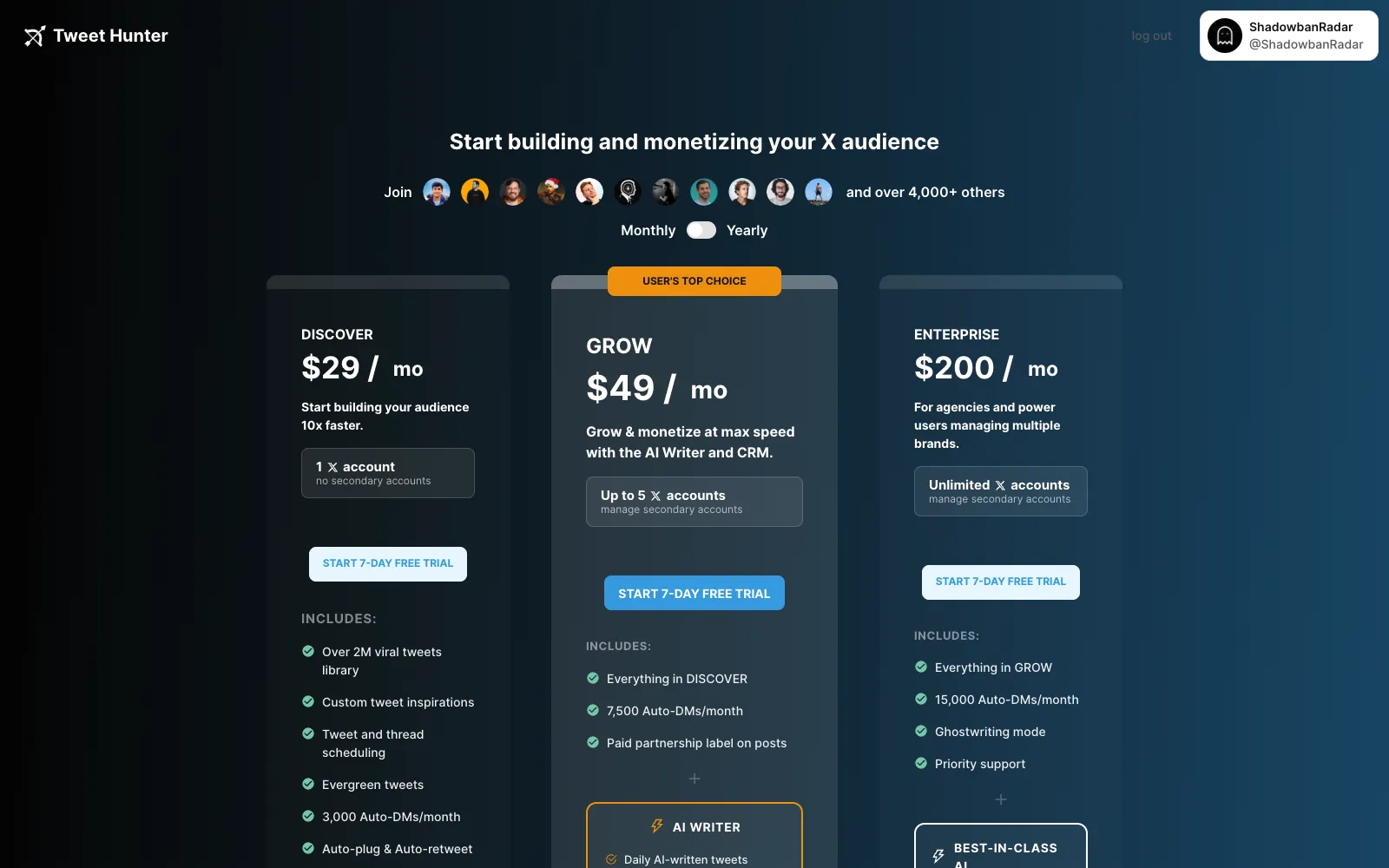
Tweet Hunter setup takes one click on X's authorization screen, then a plan choice. The app shows its three plans side by side, with a monthly or yearly switch and a 7-day free trial on each.
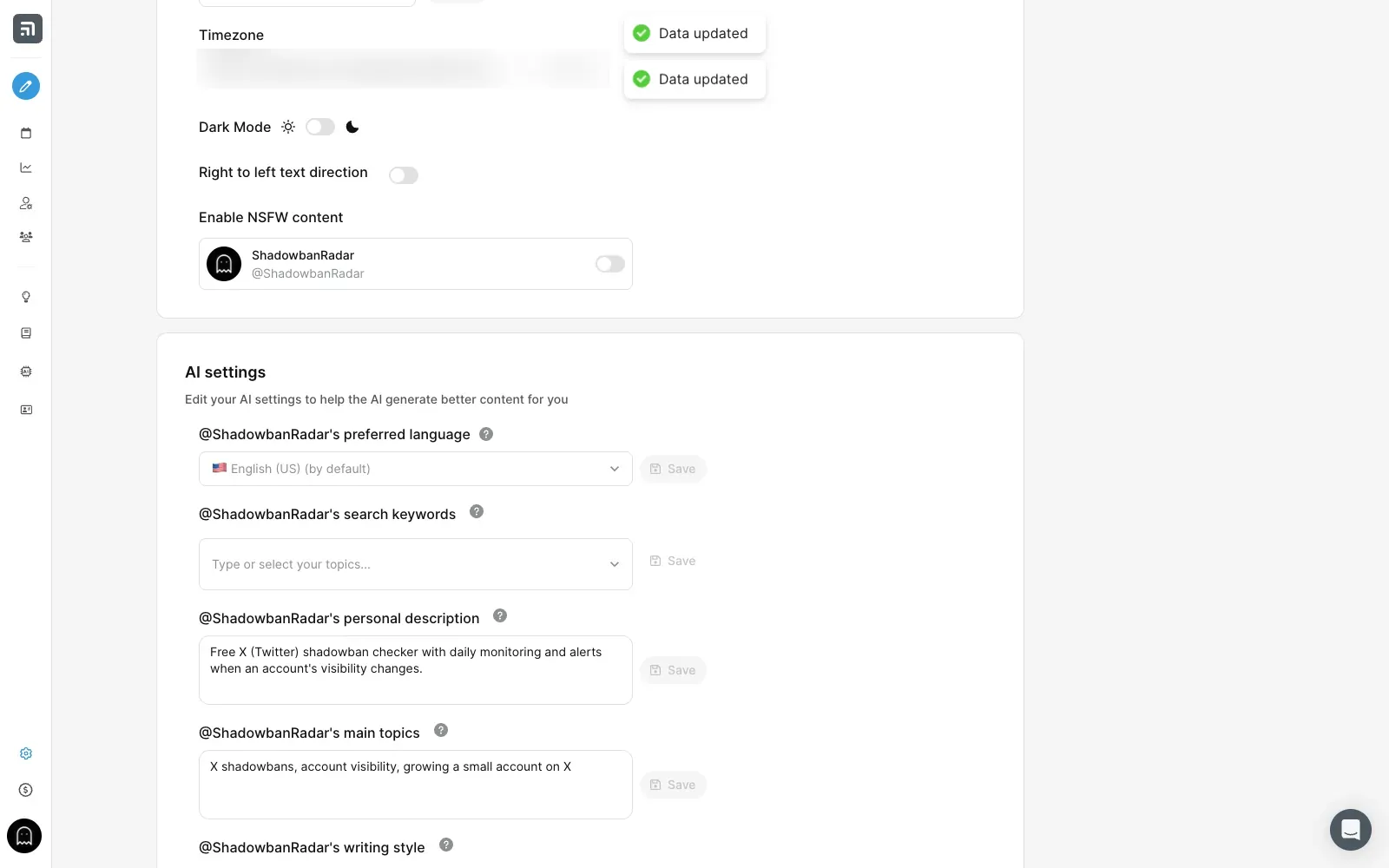
Inside the app, a checklist walks you through the key steps. The AI settings ask for:
- your language;
- your keywords;
- a short description of your account;
- your main topics;
- your writing style.
A slider sets how much freedom the AI gets, from conservative to wild.
How good is the Tweet Hunter viral tweet library?
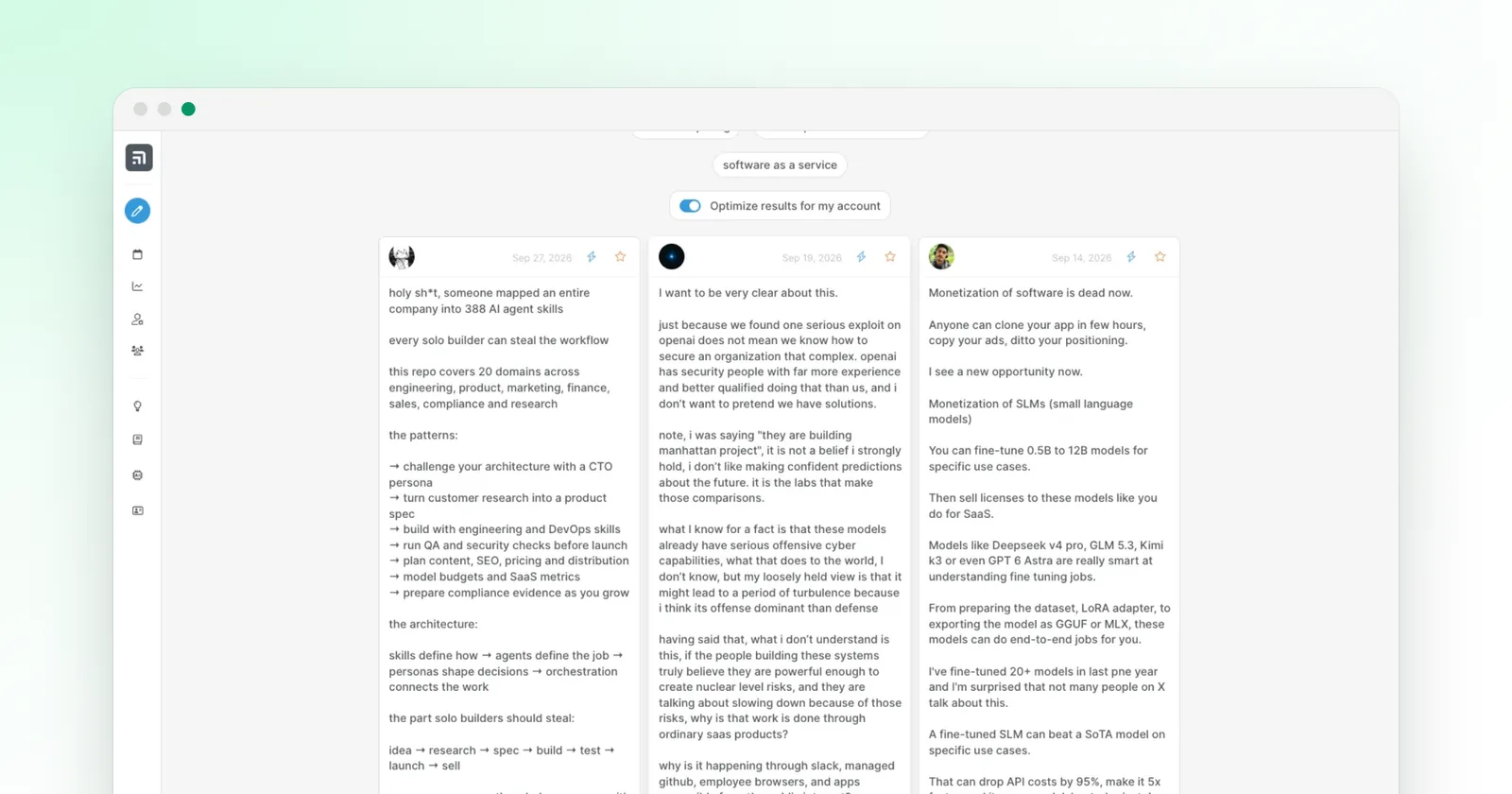
The Tweet Hunter viral tweet library is the best part of the app. Type a topic, or pick one of the suggested ones, and it returns tweets that did well, matched by AI rather than by exact keyword. A switch optimizes the results for your account, and the search suggests related topics.
I picked "saas". The results were recent (September 2026), on topic, and each one showed its likes, reposts and views, up to 368k views. Each tweet has three actions:
- "Edit & tweet" sends it to the composer;
- a lightning button rewrites it with AI;
- a star saves it in a collection.
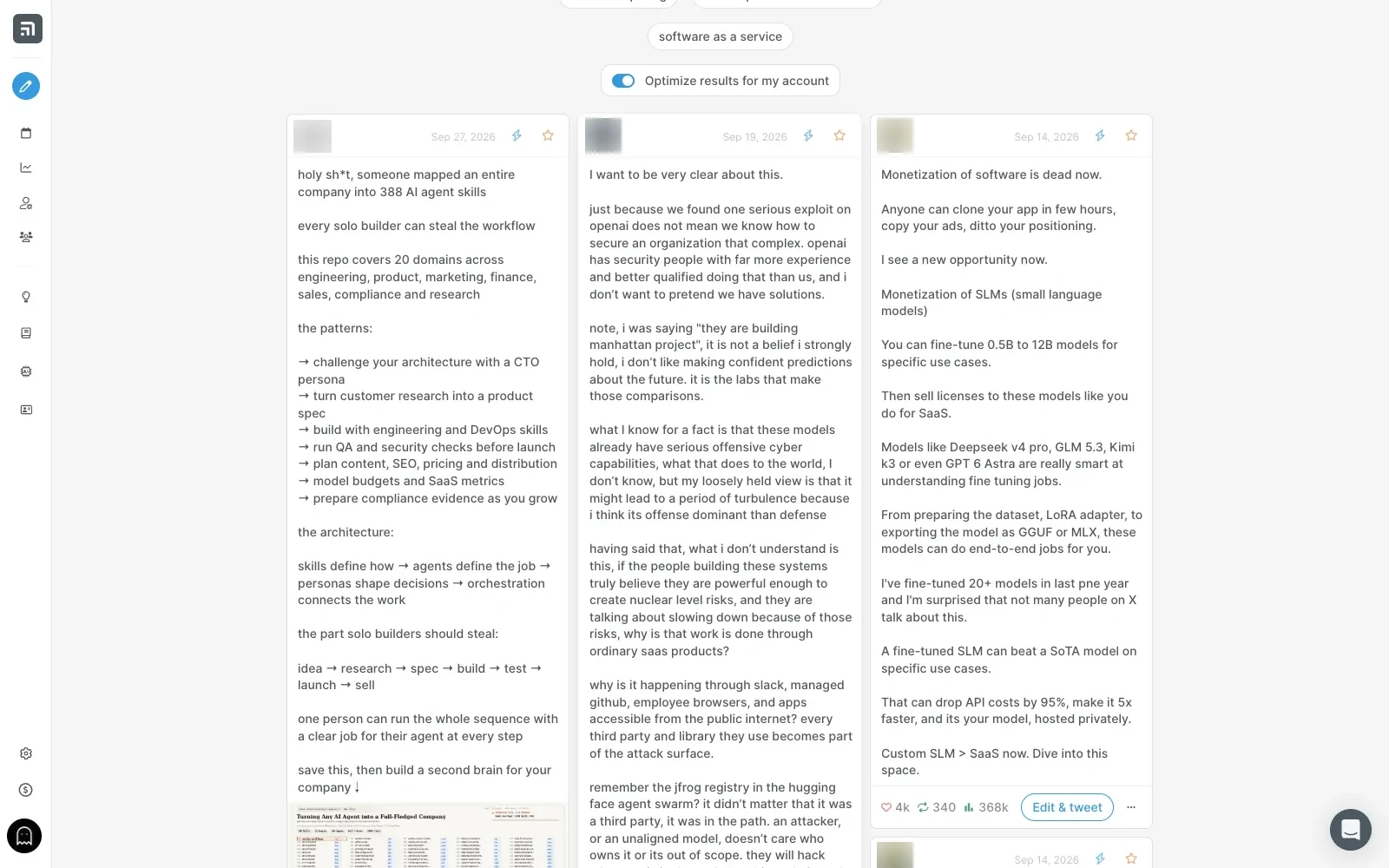
Topic searches work best. A broad phrase such as "grow your audience" brought posts from unrelated niches, so start from a topic close to yours.
How do you write and schedule tweets in Tweet Hunter?
You write each tweet in the Tweet Hunter composer, and the queue planner decides when it goes out.
The composer and its automations
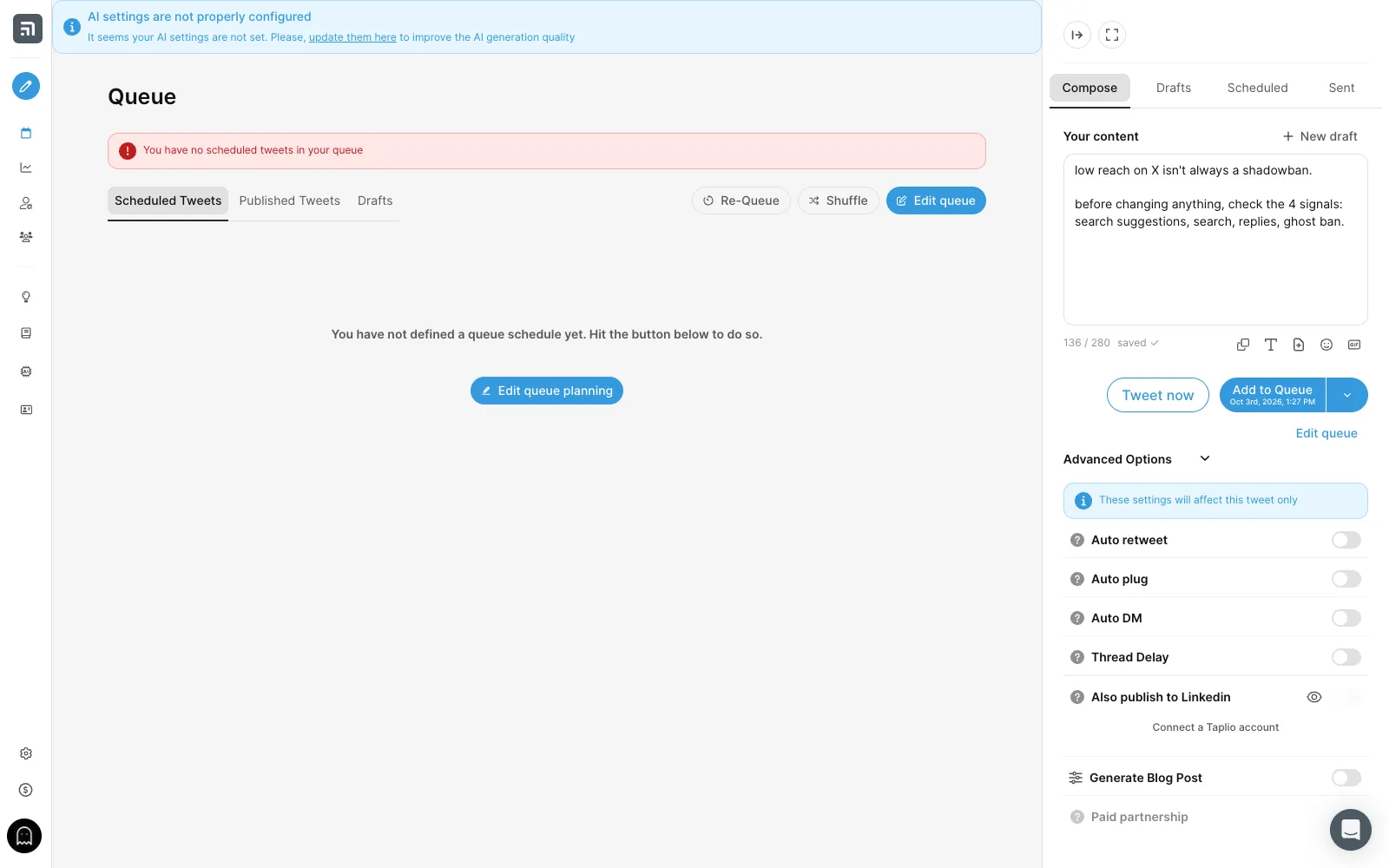
The composer sits on the right of every screen. Skip three lines to start a thread. Under the text, it offers:
- snippets, rich text, images, emoji and GIFs;
- a "Tweet now" button;
- an "Add to Queue" button, which shows the next free slot.
"Advanced Options" holds the automations, set tweet by tweet:
- auto-retweet;
- auto-plug, a reply posted when the tweet reaches a number of likes;
- auto-DM to people who interact;
- Thread Delay, to space out the tweets of a thread;
- a copy to LinkedIn through Taplio, and a blog post generated from the tweet;
- the paid partnership label.
The queue planner
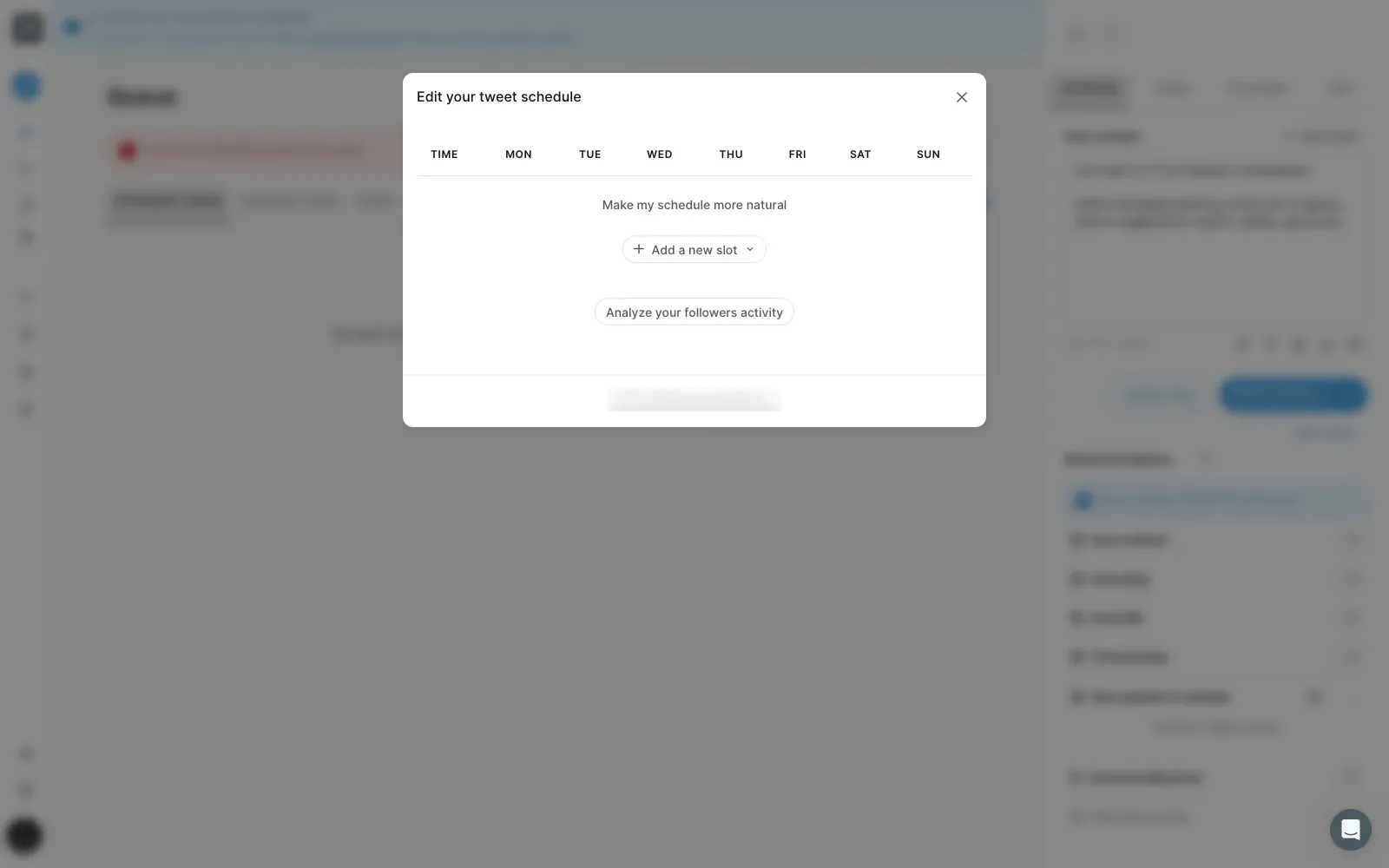
The Tweet Hunter queue planner sets your posting slots for each day of the week. Two buttons help: "Make my schedule more natural" and "Analyze your followers activity", which uses your audience's habits to place the slots. Re-Queue and Shuffle reorder what is waiting.
What are Tweet Hunter's evergreen and profile automations?
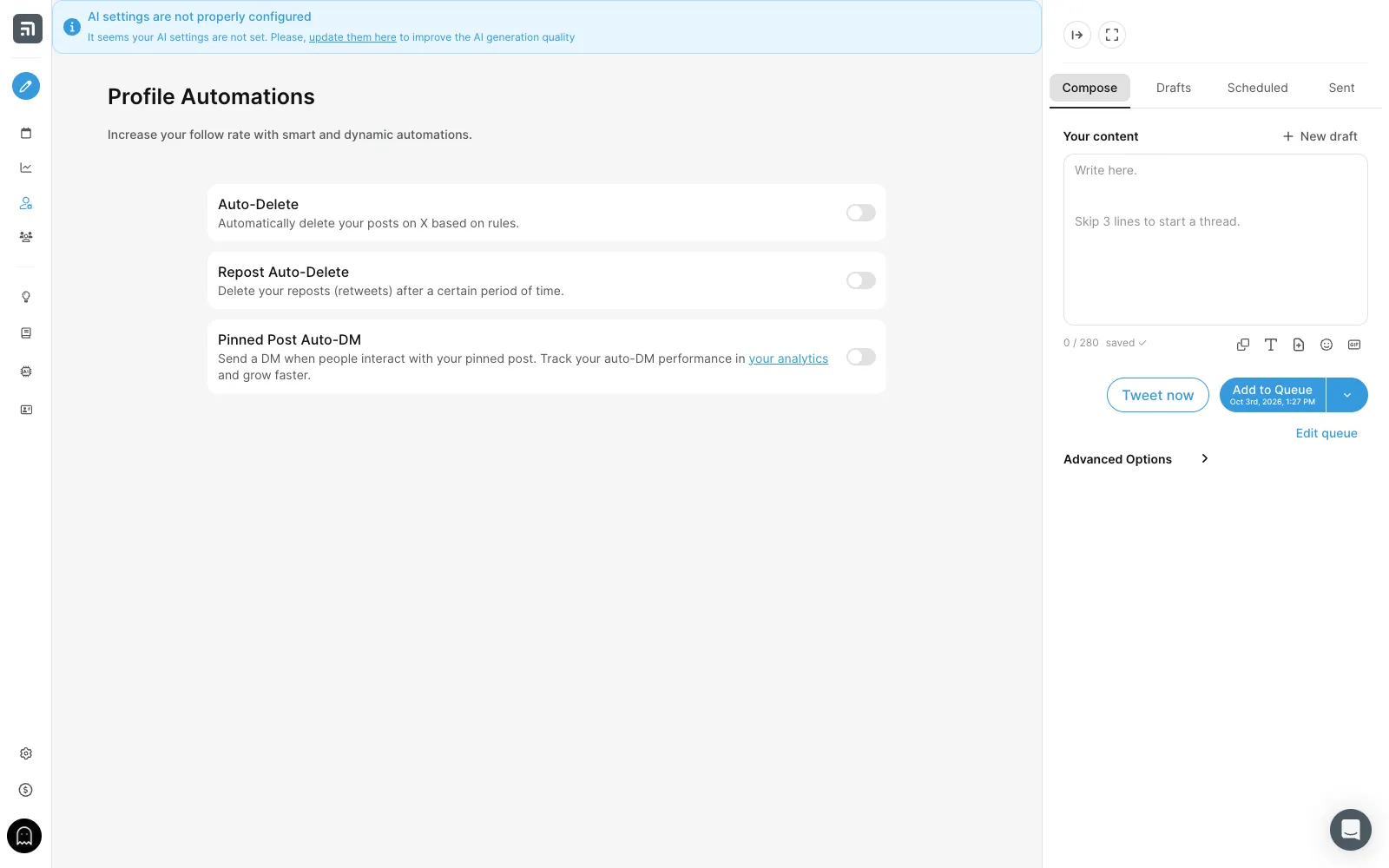
Tweet Hunter's evergreen feature reposts your best tweets on a schedule, so a tweet that worked gets a second life while you sleep. Profile automations go further:
- Auto-Delete removes your posts by rules;
- Repost Auto-Delete cleans up your retweets after a delay;
- Pinned Post Auto-DM sends a message to people who interact with your pinned post.
What does Tweet Hunter Engage do?
Tweet Hunter Engage builds feeds of the people or keywords you choose, and shows only original tweets, without retweets and replies. That makes it fast to find posts worth replying to. AI replies come with the Enterprise plan.
What can the Tweet Hunter AI writer do?
The Tweet Hunter AI writer comes with the Grow plan. Published tests describe it this way:
- AI tweets generated every day from your topics;
- a rewrite button on any tweet;
- thread ideas and hook generators;
- a warning when a rewrite stays too close to the original.
Most tests add that the drafts read best after a light edit in your own words.
What do Tweet Hunter's CRM and analytics offer?
The Tweet Hunter CRM comes with the Grow plan and turns X into a contact list.
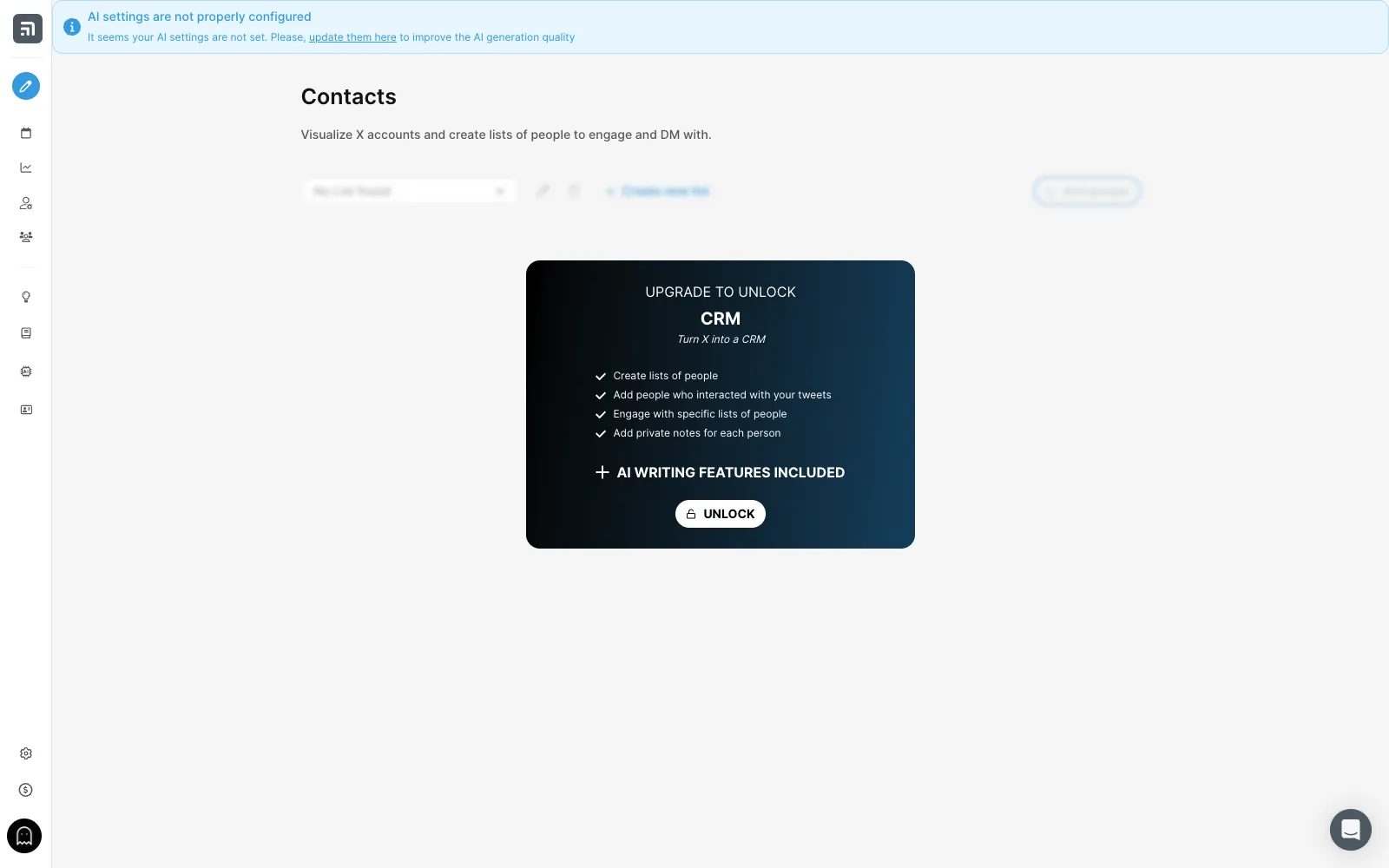
With the CRM, you can:
- create lists of people;
- add everyone who interacted with your tweets;
- engage with a given list;
- keep private notes on each person.
Analytics cover 7, 30 and 90 days, with the tweets that brought followers.
Is Tweet Hunter safe for your X account?
Tweet Hunter gives you the means to post at a natural pace:
- Thread Delay spaces out the tweets of a thread;
- the queue planner can make your schedule look natural;
- every automation is set tweet by tweet.
Its FAQ says the team has built "many safeguards to keep your account safe". The Engage page lists tips:
- post relevant replies;
- never paste the same reply everywhere;
- avoid anything that looks like spam.
X's automation rules apply to every tool. Keep auto-DMs for people who asked for your resource, and space out reposts.
If your reach drops one day, check your account with our free Twitter (X) shadowban test. It runs the 4 checks (search suggestion ban, search ban, ghost ban, reply deboosting) in seconds, and the shadowban glossary explains each term.
How much does Tweet Hunter cost?
Tweet Hunter has three plans, from $29 a month, each with a 7-day free trial. Prices read on October 2 and 3, 2026:
| Plan | Monthly | Yearly (per month) | X accounts | What it adds |
|---|---|---|---|---|
| Discover | $29 | $23 | 1 | 2M+ viral tweets, custom inspirations, scheduling, evergreen, 3,000 auto-DMs, auto-plug and auto-retweet, X analytics |
| Grow | $49 | $36 | 5 | AI writer (daily AI tweets, rewrite, thread ideas and hooks), CRM, 7,500 auto-DMs, paid partnership label |
| Enterprise | $200 | $167 | Unlimited | Custom AI model, AI replies, unlimited AI, ghostwriting mode, 15,000 auto-DMs, priority support |
Is the Tweet Hunter price a problem?
The price is not a problem for daily posters. Tweet Hunter Discover at $29 a month already covers what most people use every day:
- the library;
- scheduling;
- evergreen;
- the automations.
Grow at $49 is the plan to take if you want the AI writer and the CRM, and it covers 5 accounts.
The 7-day trial is enough to fill a week of queue and see the results.
Tweet Hunter vs superX and Postiz: which one?
Tweet Hunter and superX are both built for X, while Postiz covers many networks.
| Tool | Networks | Main focus |
|---|---|---|
| Tweet Hunter | X | The viral tweet library and the queue |
| superX | X | An AI assistant that reads your own numbers |
| Postiz | Multi-network, open source | Scheduling posts |
Tweet Hunter vs superX
Both Tweet Hunter and superX are built for X and offer:
- a viral post library;
- scheduling;
- auto-DMs.
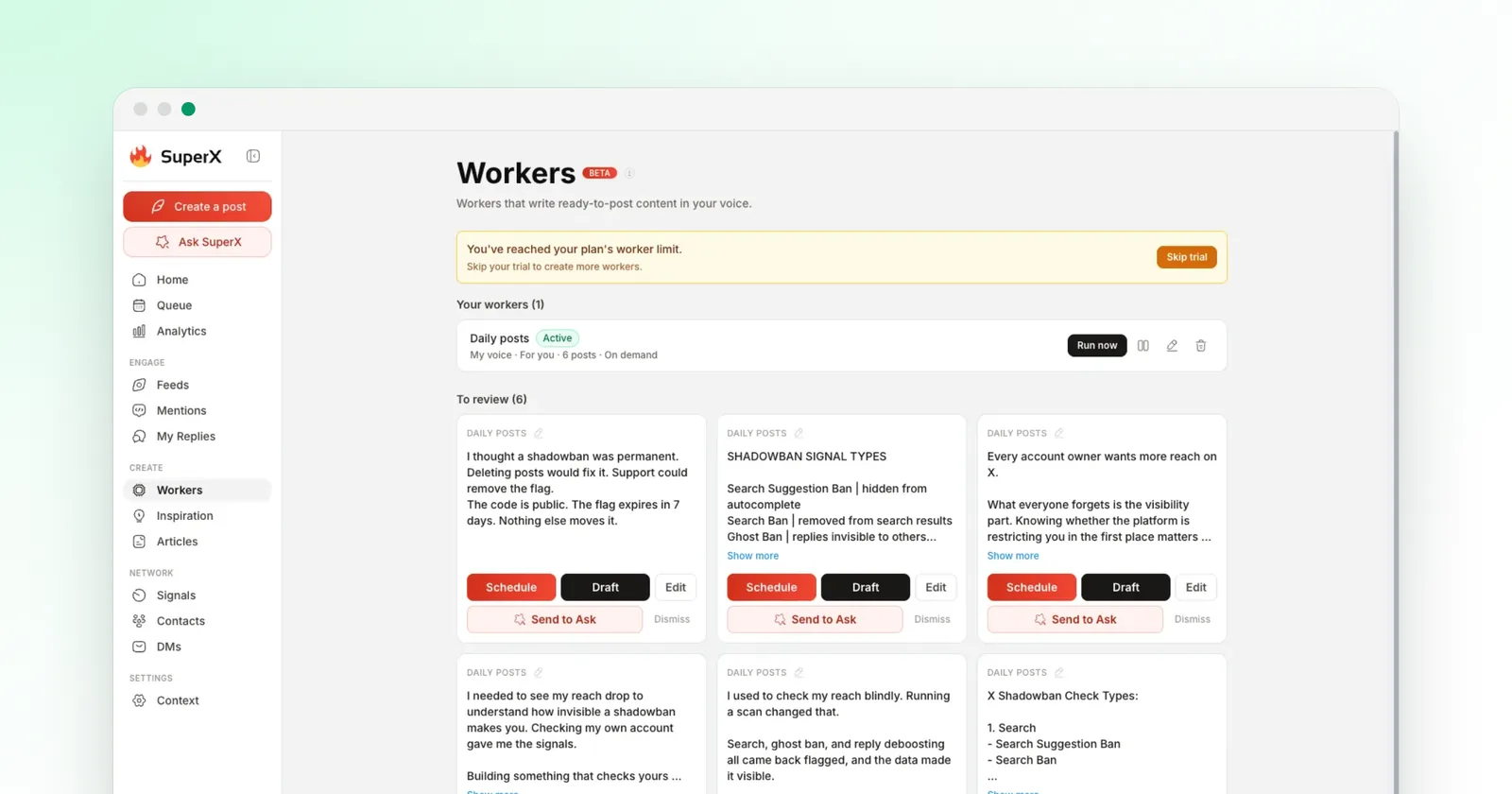
Tweet Hunter starts cheaper ($29) and centers on the library and the queue. superX centers on an AI assistant that reads your own numbers and drafts in your voice, from $49. Read my superX review or the full superX vs Tweet Hunter comparison.
Tweet Hunter vs Postiz
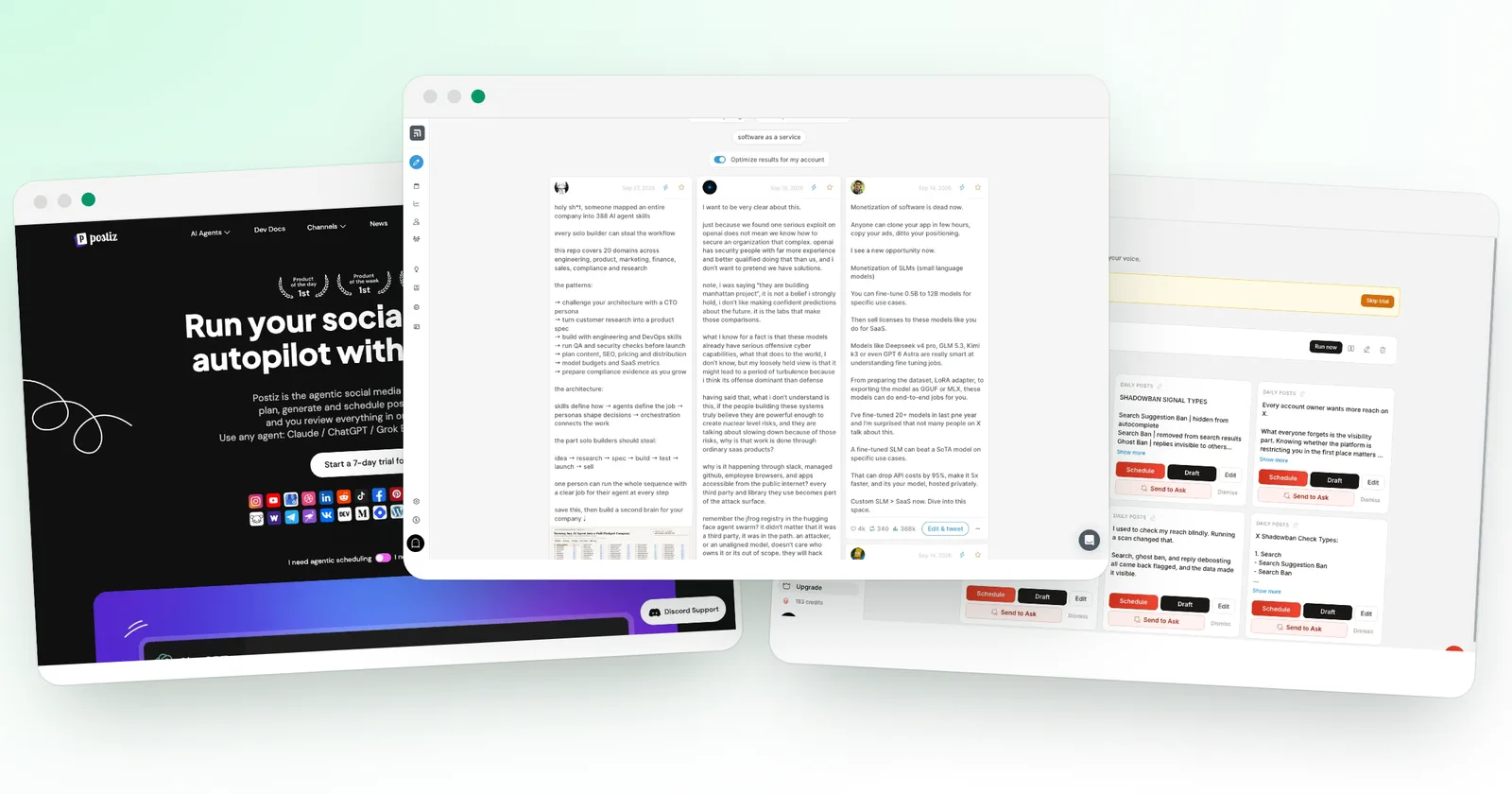
Postiz schedules posts on 30+ networks and is open source. Tweet Hunter stays on X and goes deeper there, with the library, Engage and the CRM. Read my Postiz review, or see Tweet Hunter alternatives.
Is Tweet Hunter worth it? My verdict
Tweet Hunter is the tool for people who want to post on X every day without running dry, and I recommend it if you post daily. Three things carry it:
- the viral tweet library gives you ideas in seconds;
- the composer sets the follow-up automations tweet by tweet;
- the queue and evergreen keep your account active.
The AI writer and the CRM wait for the Grow plan, and AI tweets read best after a light edit. That does not change my view: Discover alone already covers a daily posting routine at $29.
If you post on X daily, I recommend it.
We earn a commission if you subscribe through our links. It does not change the score.
Price
Free plan
Trial
Best for
Prices checked on October 3, 2026
What we liked
Large library of viral tweets, searchable by topic
Auto-retweet, auto-plug and auto-DM on each tweet
Queue planner that can read when your followers are active
Evergreen: your best tweets come back on their own
Profile automations, such as an auto-DM on your pinned post
Engage feeds that show only original tweets
What we liked less
The AI writer and the CRM start on the $49 Grow plan
AI tweets need a light edit to sound like you
Our verdict
Tweet Hunter is the tool to pick if you want to post on X every day without running out of ideas. It pairs a large library of viral tweets with a composer that sets automations tweet by tweet, a smart queue and evergreen reposts. If you post on X daily, I recommend it.
These are affiliate links. They never change what you pay.
Update history
- First published after hands-on testing.