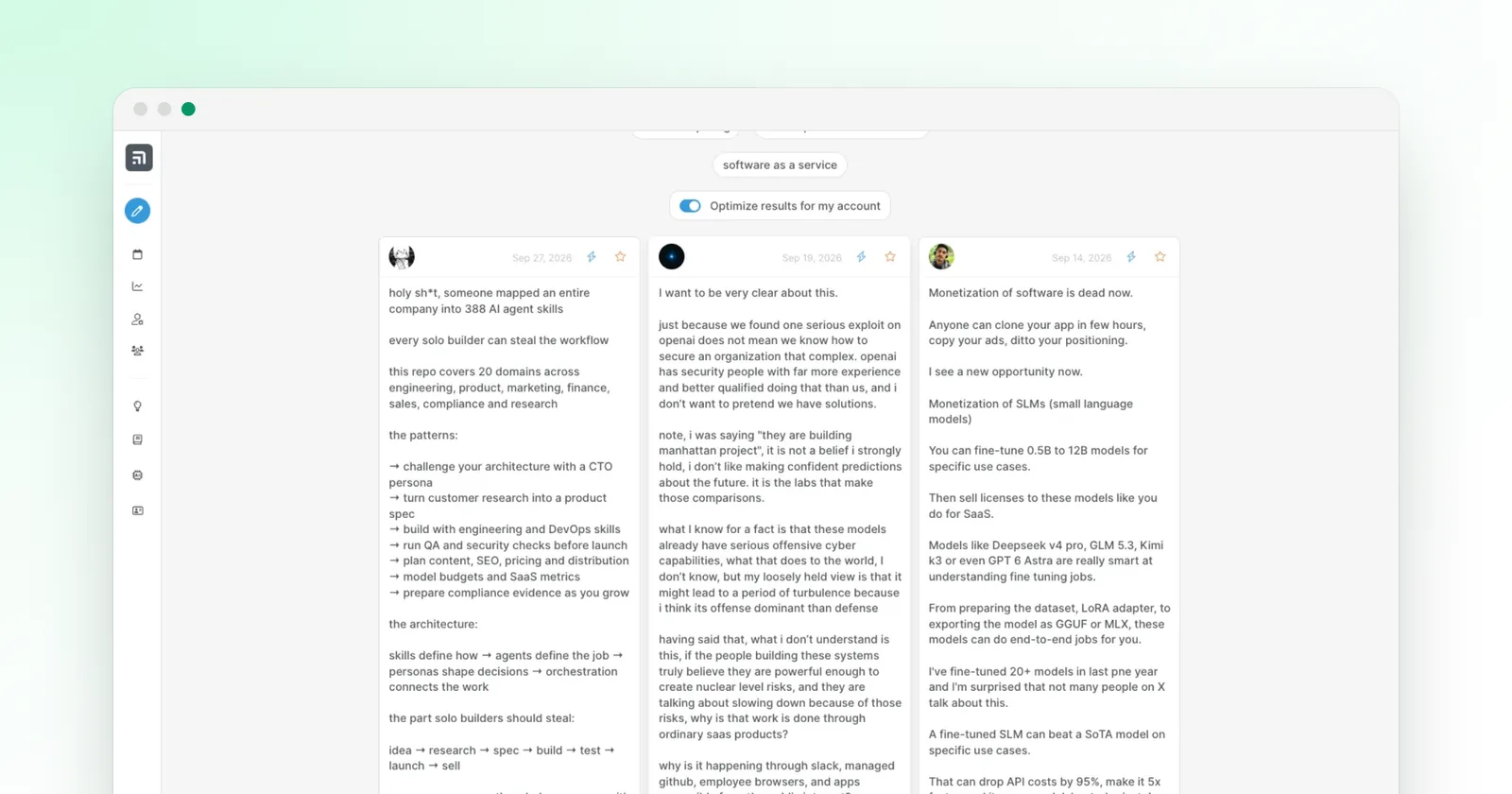
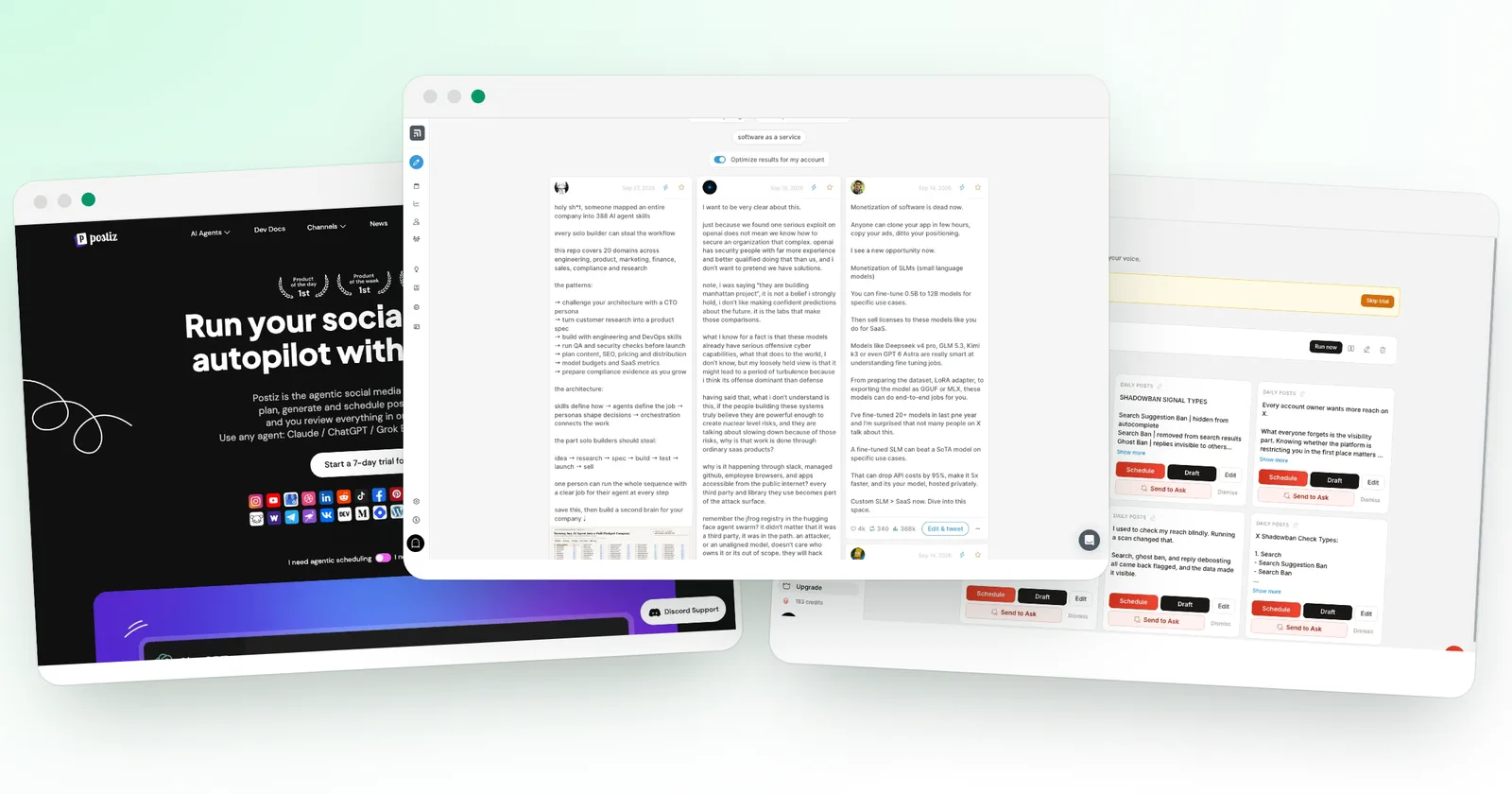
superX review (2026): features, pricing and score, tested
I tested superX on my test account: AI assistant, scheduler, workers and analytics. Score 8.8/10, with pros, cons, safety and pricing from $49 a month.
We may earn a commission when you buy through our links. How we make money
Price
Free plan
Trial
Best for
Prices checked on October 3, 2026
What we liked
An AI assistant that reads your real X numbers
Drafts in your own voice from the first minute
Scheduler with smart time slots, auto-plug and auto-DM
Library of viral posts with outlier scores and fine filters
Safeguards built in: AI drafts wait for your approval
Advanced plan at $49 a month during the launch offer
What we liked less
Short trial: 3 days in my test, card required
AI drafts need a quick read before you post them
Our verdict
superX is the most complete growth tool for X I have tested: an AI assistant that reads your real numbers, drafts in your own voice, a smart scheduler and built-in safeguards for your account. If you post on X every week, I recommend it.
These are affiliate links. They never change what you pay.
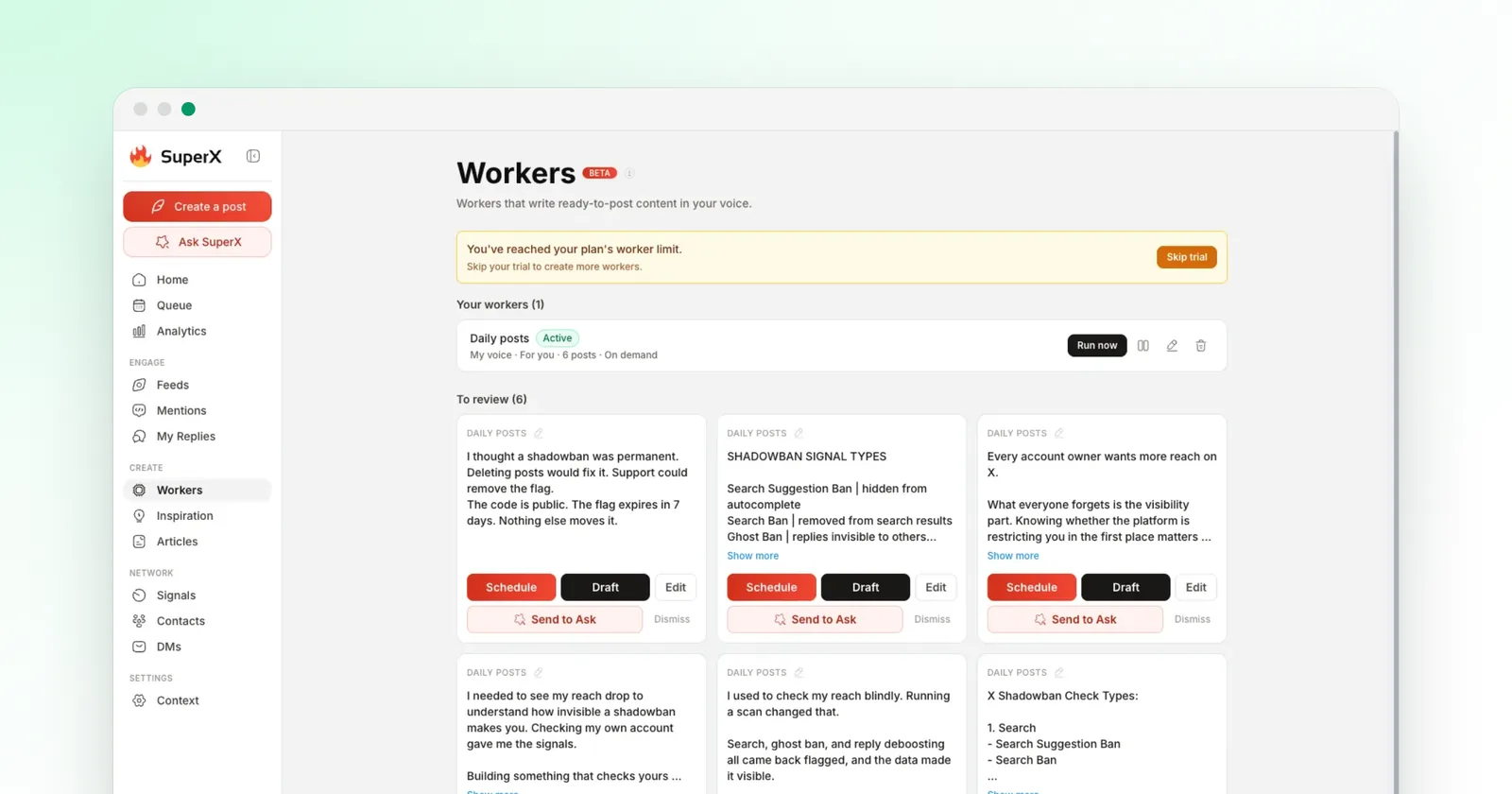
superX is a growth tool for X that combines an AI assistant, a scheduler, analytics and a library of viral posts, from $49 a month. In my test on October 3, 2026, it earned 8.8/10, and it is worth it if you post on X every week. Its AI assistant reads your real numbers and drafts in your voice.
I connected superX to my test account and used every section of the app. This review covers features, pricing, safety and how superX compares with Tweet Hunter and Postiz.
How did I test superX?
I tested superX on my test account, not on a demo. My method is the same for every tool and is described on how I test X tools.
- Account: my test account, connected with "Continue with X", on the Advanced plan trial.
- Date: October 3, 2026, in Chrome on a Mac, with the web app at app.superx.so.
- AI tasks: an account analysis and three drafts with Ask SuperX, an AI rewrite in the composer, a worker run and an AI reply to a mention.
- Other sections: the full onboarding, searches in the Inspiration library, and the analytics, contacts, DM and billing pages.
- What I measured: the time each AI task took and the credits it used, read in the app.
- What I did not do: publish anything. Every draft stayed a draft.
My score weighs five criteria:
| Criterion | Weight | superX |
|---|---|---|
| Features | 30% | 9.5 |
| Ease of use | 20% | 8.5 |
| AI quality | 20% | 8 |
| Value for money | 15% | 8.5 |
| Account safety | 15% | 9 |
| Total | 8.8 |
What is superX?
superX is a growth tool for X made by TMAKER, a company based in Paris. It works as a web app and a Chrome extension.
It covers writing, scheduling, replies, analytics and outreach. It bills by monthly or yearly subscription, with AI credits included in each plan.
superX at a glance
| Price | From $49 a month |
| Free plan | No |
| Trial | 3 days in my test, card required |
| Networks | X, with cross-posting to Bluesky |
| Connected X accounts | 5 on Pro and Advanced, 10 on Ultra |
| AI model shown in the app | Claude Opus 5 |
| Extras | Chrome extension, API, CLI and MCP access |
| Company | TMAKER, Paris, France |
Who is superX for?
superX suits people who use X as their main channel:
- founders who build in public and want to post every day;
- creators who want to know which posts bring followers;
- small teams that run up to 5 X accounts from one place.
It is less useful if you post once a month, or if you need Instagram, LinkedIn or TikTok in the same calendar. For a multi-network calendar, see the best X growth tools.
How does superX setup work?
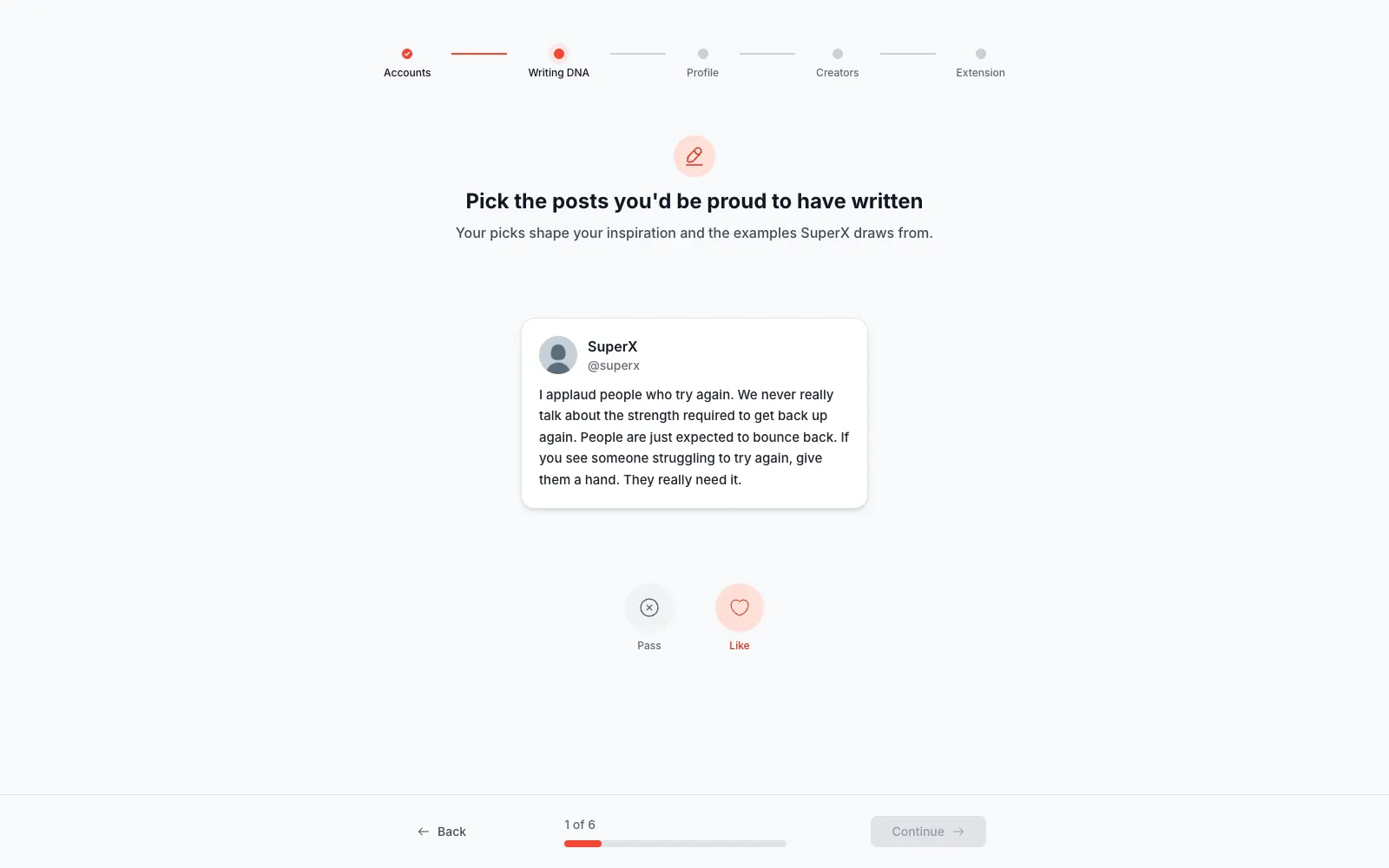
superX setup takes five steps, and the app already knows your account at the end:
- Add your accounts.
- Set your "Writing DNA".
- Fill in your profile.
- Pick the creators you like.
- Install the Chrome extension.
In the Writing DNA step, you like or pass on six posts, and superX uses your picks to shape the examples it shows you.
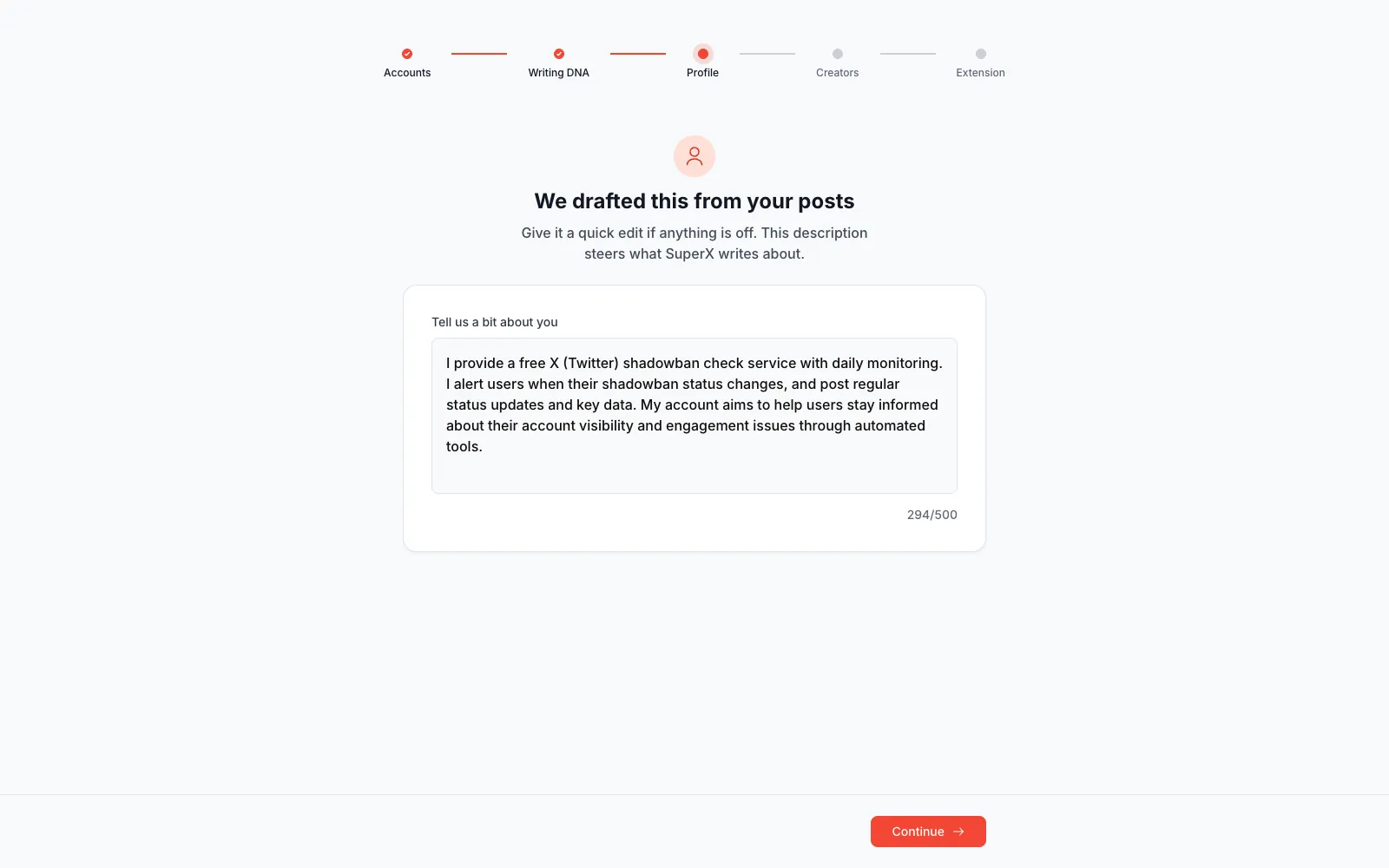
The next screen surprised me. superX had already written a description of my account from my posts, and it was right: a free shadowban check with daily monitoring and alerts.
You can edit it, and it steers what the AI writes about.
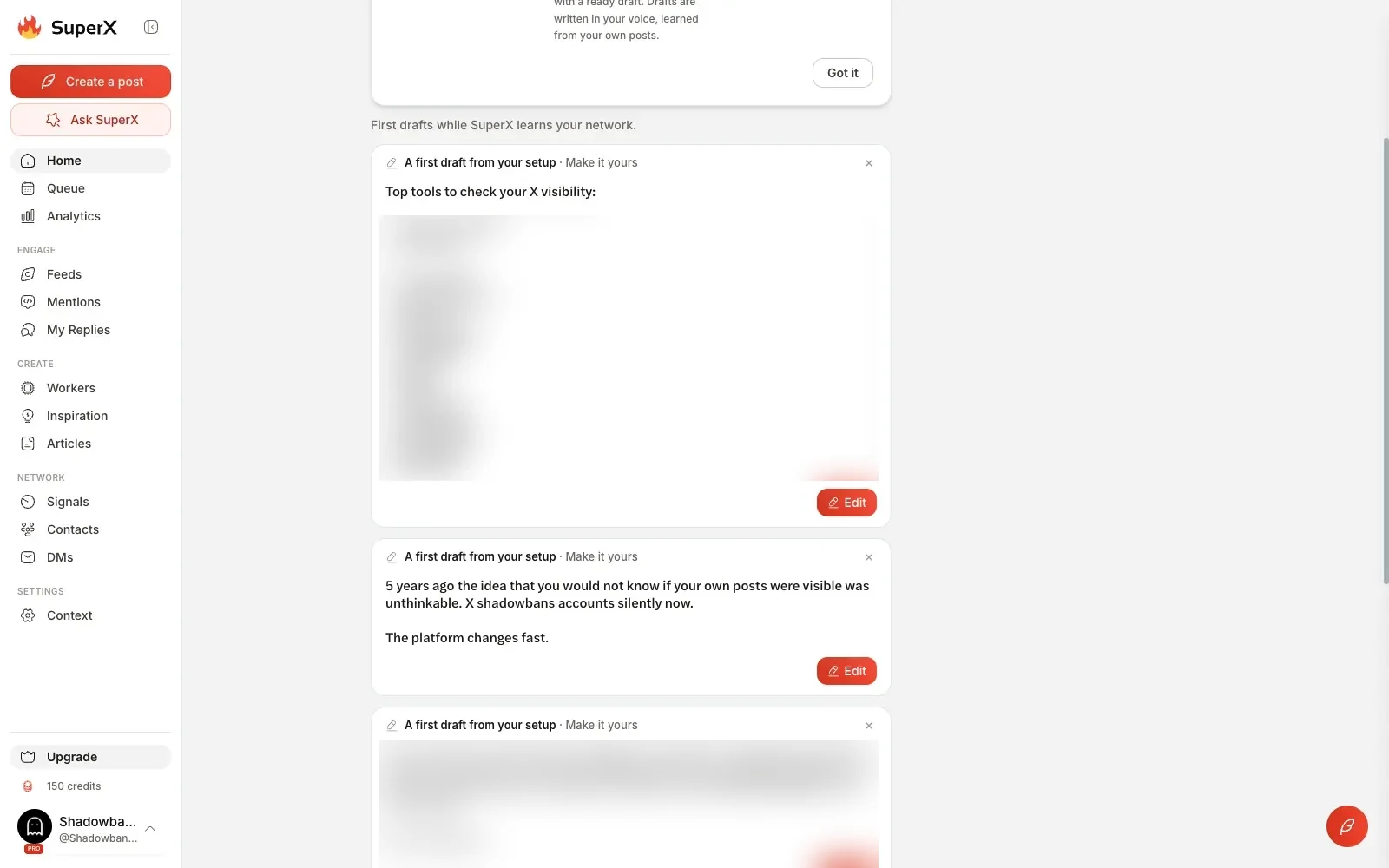
On the home page, three first drafts were waiting, all about my subject: X visibility and shadowbans. A list of missions also gives free credits:
- 50 for a first reply;
- 100 for setting up your profile.
What does Ask SuperX do?
Ask SuperX is the heart of superX: a chat assistant connected to your account, with 32 ready-made skills. Three of them:
- "Top Performers Breakdown";
- "My Replies Report";
- "Daily Post Ideas".
The model selector showed Claude Opus 5.
Account analysis: what did the assistant find?
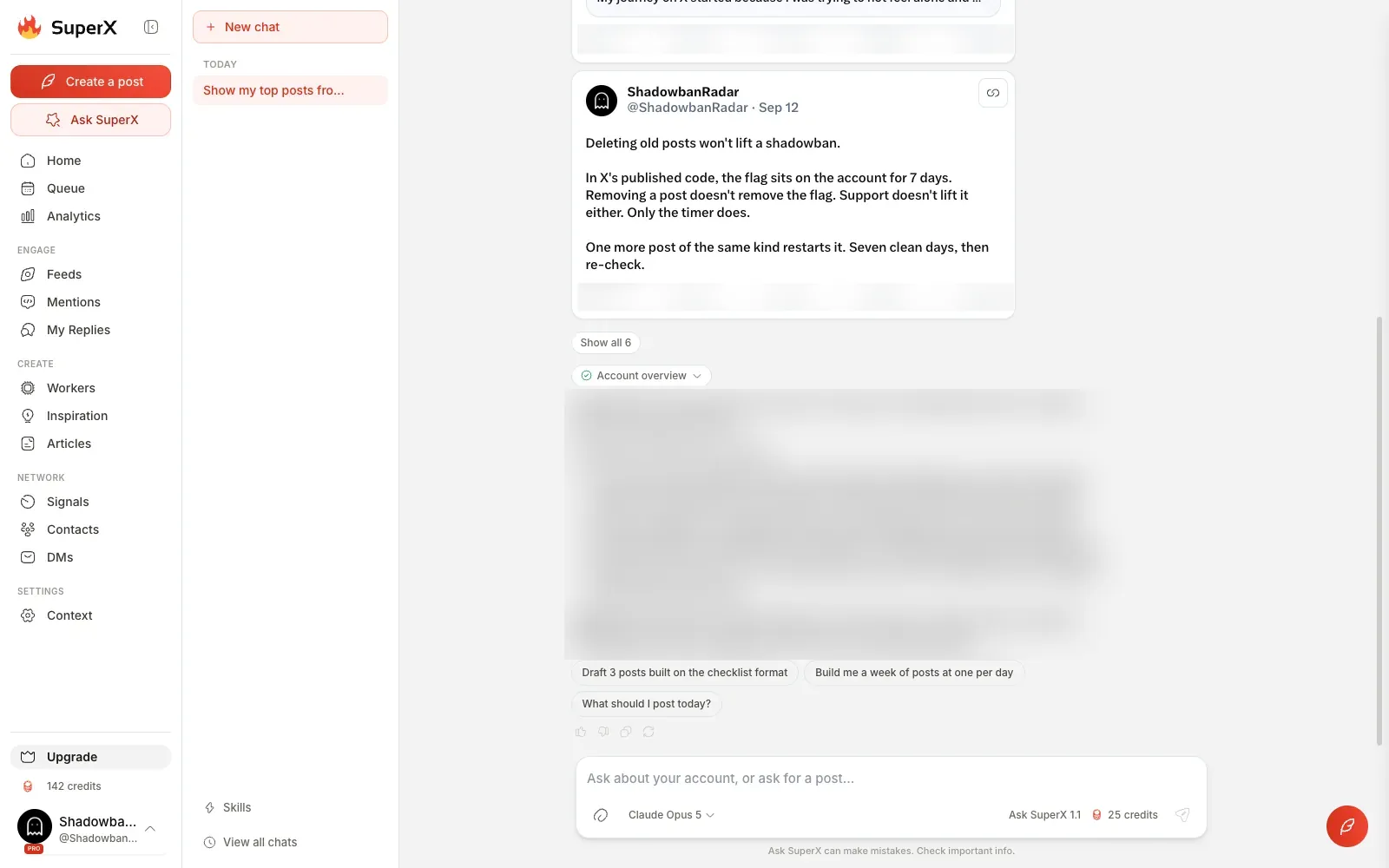
Ask SuperX turned one click into an account analysis. I ran "Top Performers Breakdown". The assistant listed my top posts of the last 30 days with their numbers, then explained the pattern behind the best ones:
- which format carried the most attention;
- which topics drew likes and reposts;
- the next lever to pull.
That is the kind of read a coach would give. It cost 8 credits out of the 150 on my trial account.
Drafts from one click: three posts in my best format
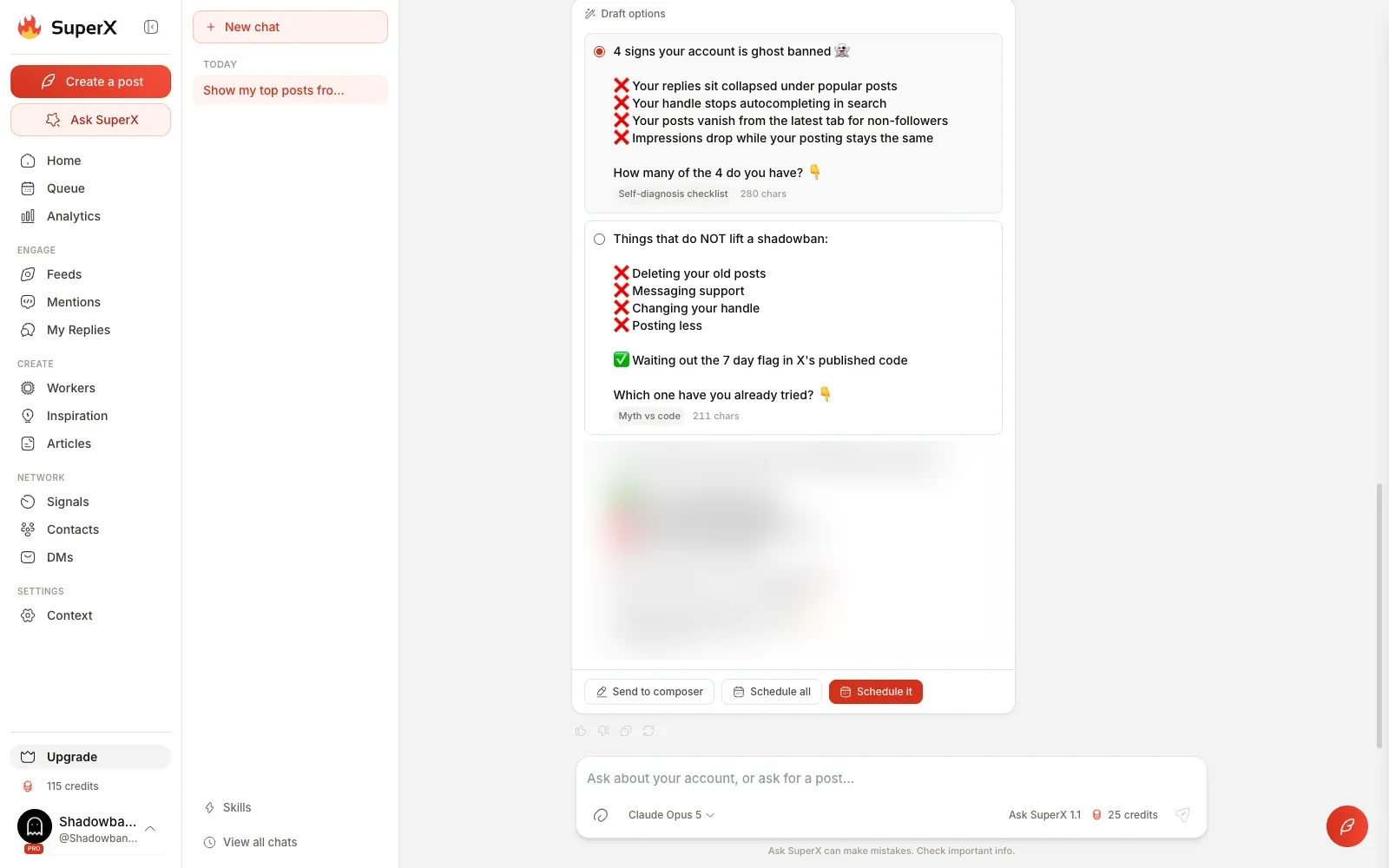
I then clicked the suggestion "Draft 3 posts built on the checklist format". Three drafts came back, each labeled with its angle and length, with buttons to send one to the composer or schedule all three.
Two were ready to use. The third invented figures I had never given it, so read each draft before you post it.
How do you write and schedule posts in superX?
You write in the superX composer and schedule from its queue. Both open on any page, and superX adds an AI rewrite and three automations to each post.
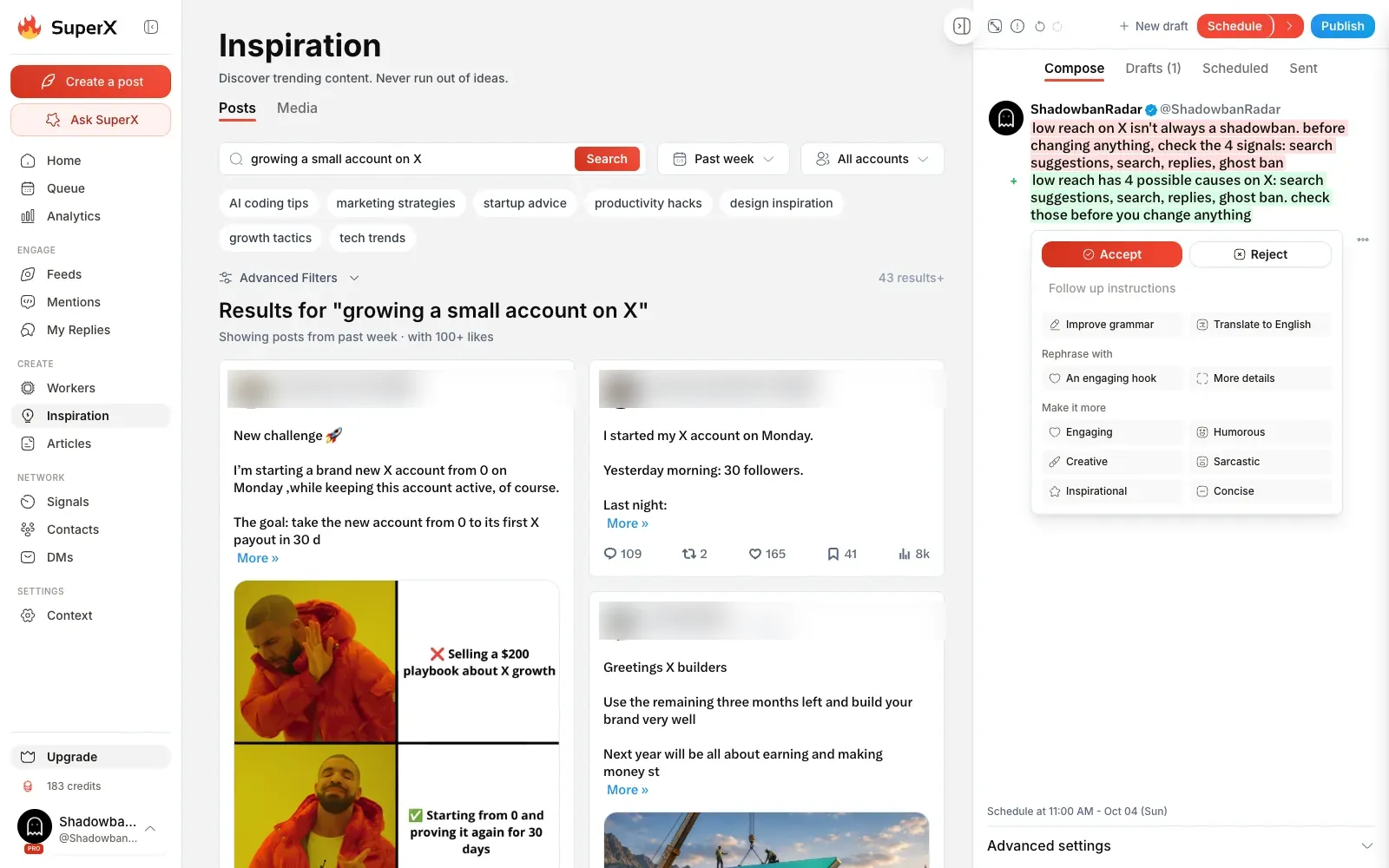
The composer and its AI rewrite
The composer opens on the right of any page. Above the text, an AI button offers:
- "Improve grammar";
- "Translate to English";
- "Rephrase with an engaging hook";
- "more details";
- six tones, from engaging to concise.
I asked for a hook: the suggestion came back in a few seconds as a change to accept or reject, and it kept my lowercase style.
The scheduler and its automations
The superX scheduler is quick. The queue comes with time slots already set for each day, and a post goes to the next free slot in one click.
Under "Advanced settings", three automations wait for each post:
- auto-retweet;
- auto-plug (a reply posted when the post reaches a number of likes you choose);
- auto-DM to people who reply or retweet.
What are superX workers?
superX workers are agents, still in beta, that write batches of posts on a schedule or on demand. superX offers a ready-made worker on the first visit, and its first run is free.
Mine wrote 6 posts in 76 seconds, in my voice and on my topics, with 0 credits used. After that, superX says a 3-post run costs 9 credits.
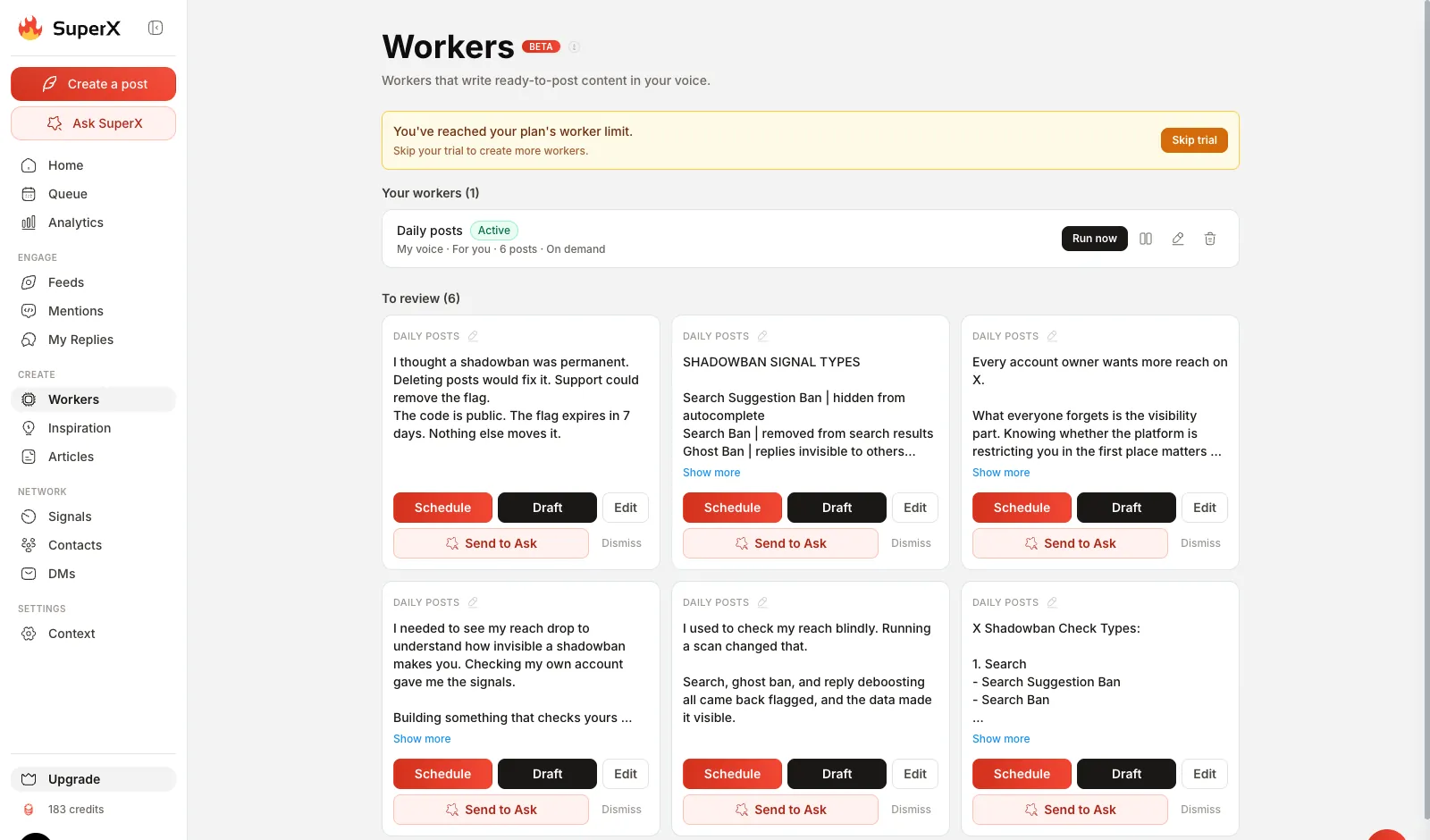
Workers never publish anything. superX says so before the first run, and each draft waits in a review list until you schedule it, save it or dismiss it.
What is the superX Inspiration library?
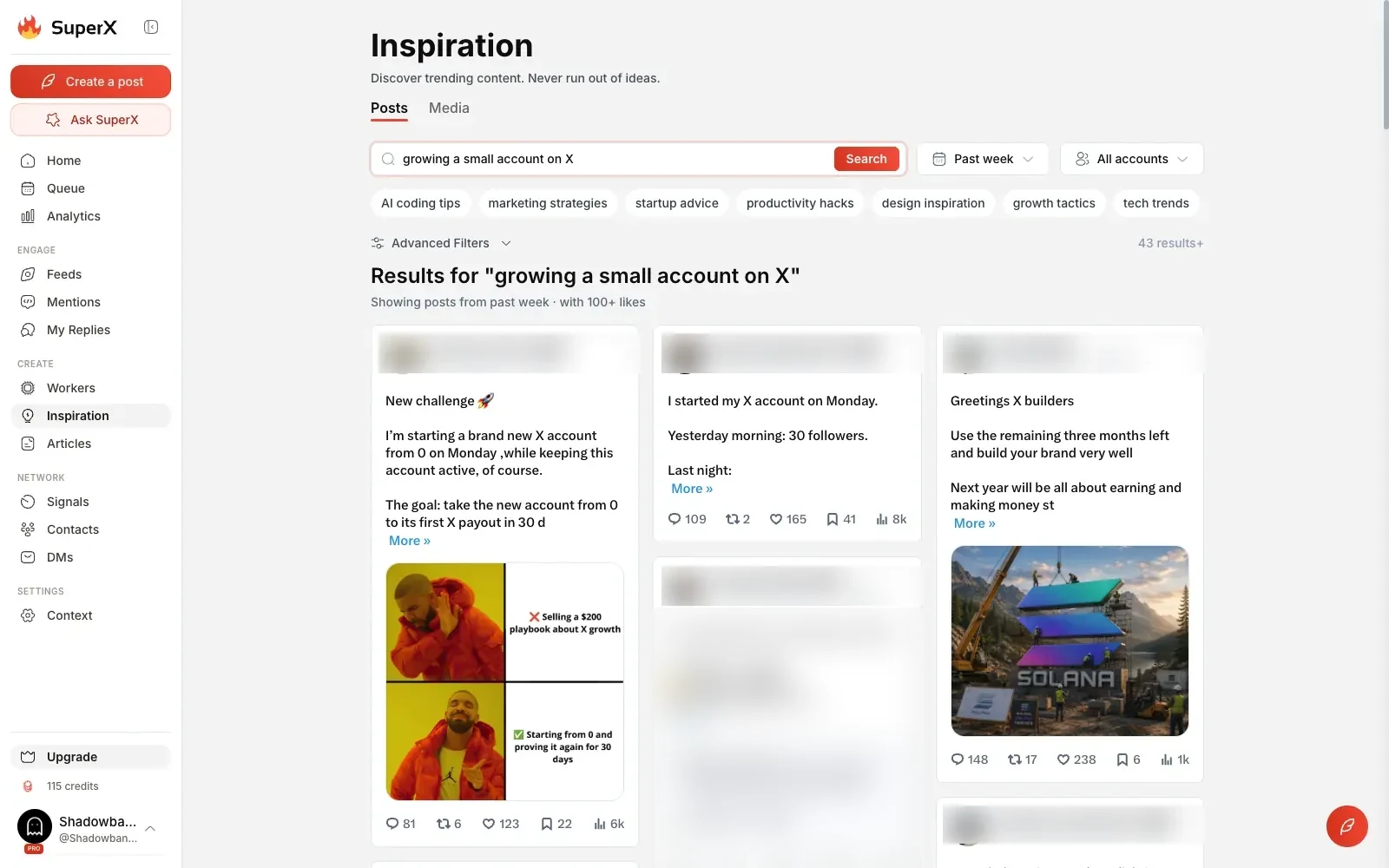
The superX Inspiration page is a search engine for viral posts, with a library of 10M+ posts on the Advanced plan. Filters go deep:
- period and date range;
- minimum likes, reposts, replies, bookmarks and views;
- length;
- topics to exclude, such as crypto or politics.
An "outlier" score shows how much a post beat the usual engagement for its author's size.
A topic search works best. "growing a small account on X" returned 43 posts from the past week with 100+ likes each, all on topic, each with "Remix" and "Repurpose with Ask SuperX" buttons. A very narrow keyword such as "shadowban" brought looser matches.
How does superX handle replies and mentions?
The superX Mentions page gathers replies and mentions from all your accounts in one feed, with filters on likes, followers and verified authors.
Each post has a reply box with an AI button. You can:
- add your own thoughts, if you like;
- pick a tone;
- click Generate.
My concise reply came back in 14 seconds, in the language of the post it answered, for 2 credits.
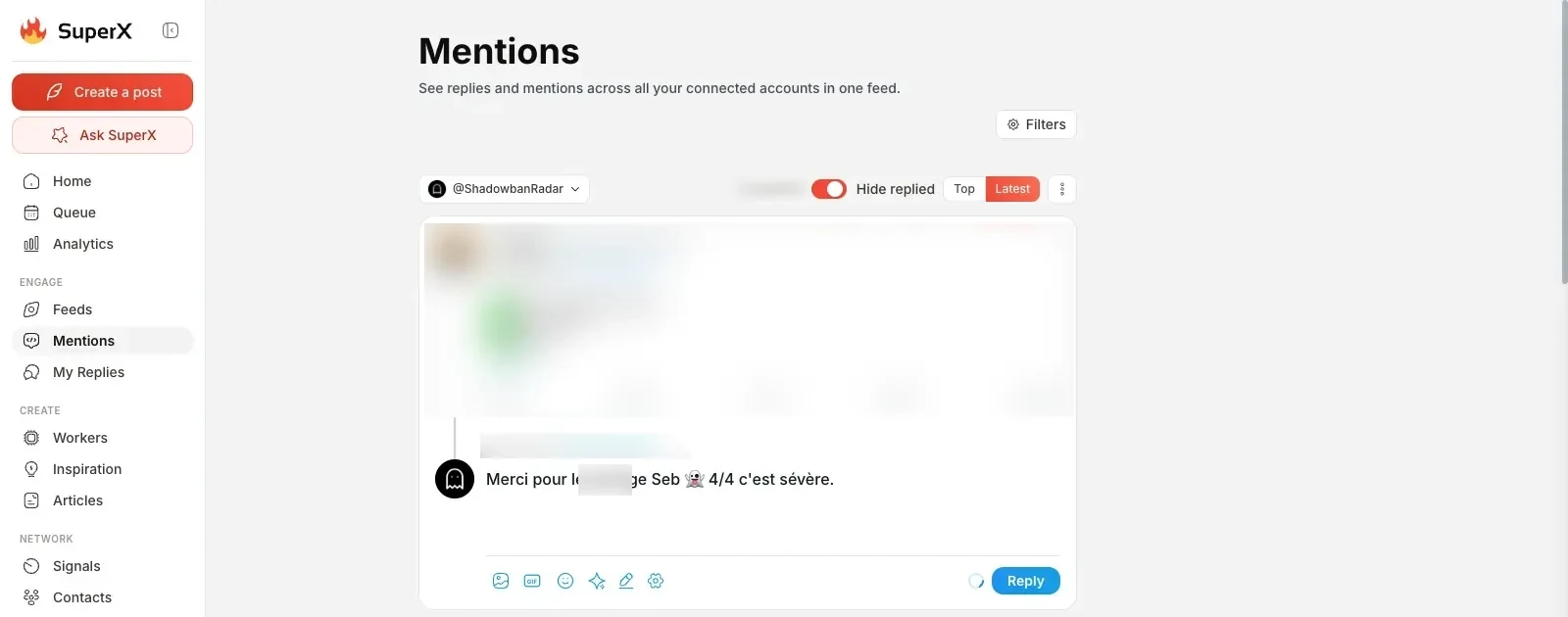
The draft misread the tone of the post it answered (it called a clean result "severe"), which is why superX asks you to review replies before sending. It takes a second to fix, and the starting point saves typing.
What do superX analytics, contacts and DMs offer?
superX puts analytics, contacts and DMs side by side, so you can see what works and reach the right people.
Analytics: what does the dashboard show?
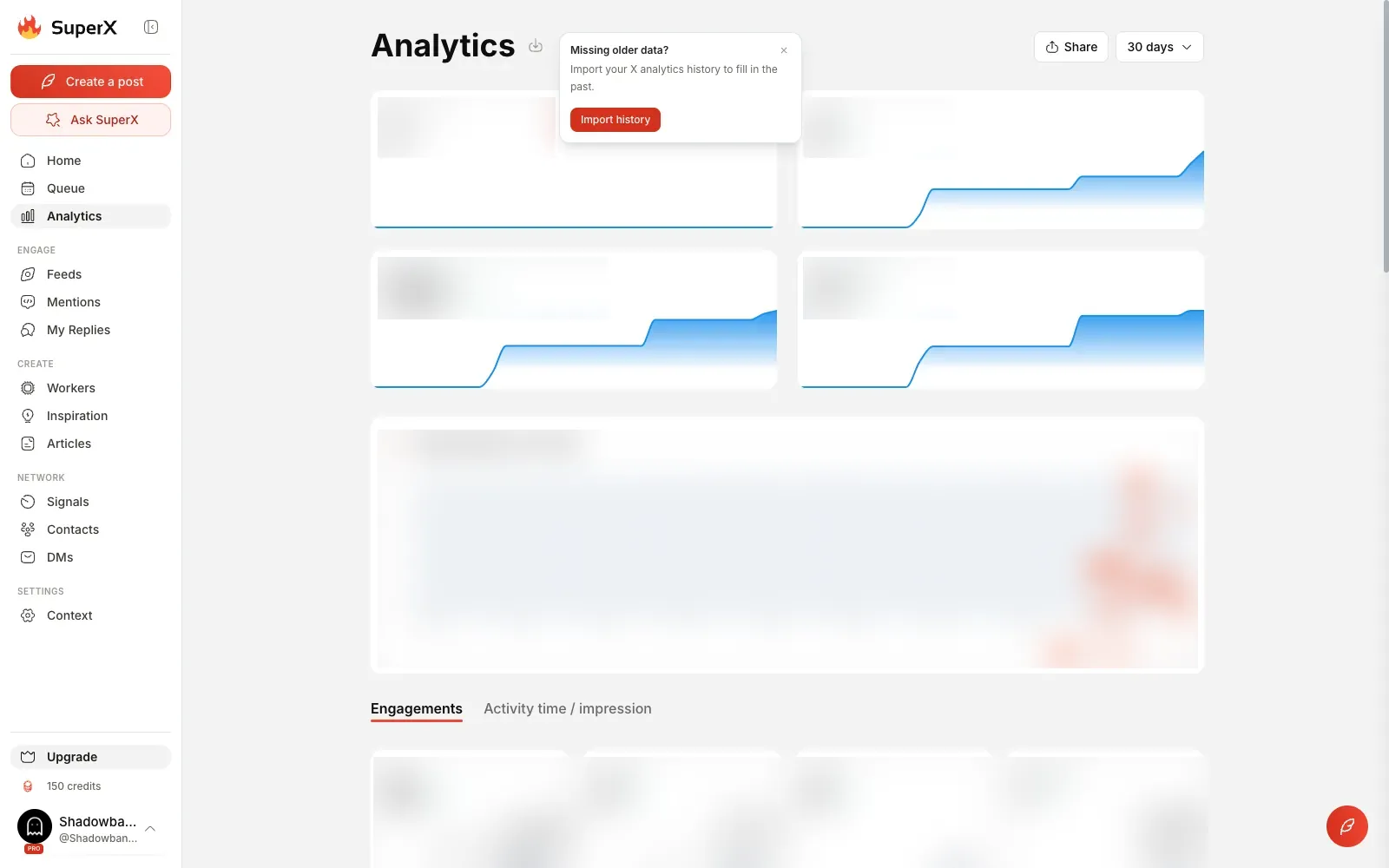
The superX analytics page shows:
- followers, posts, impressions and engagements against the previous period;
- a posting streak calendar;
- the share of likes, reposts, replies and bookmarks;
- the posts that brought the most followers.
You can import your X analytics history to fill in older months.
Contacts, DMs and Signals
Three more tools sit next to analytics:
- Contacts builds lists of people who engage with you, with their bio, location and follower count, and exports them to CSV or Excel.
- The DM page sends personalized messages with [name], [first] and [handle] variables.
- Signals, also in beta, are agents that watch profiles, keywords or lists and add good leads to a contact list.
Is superX safe for your X account?
superX is built with safeguards where the risks are:
- Workers only write drafts.
- AI replies wait for you in the reply box.
- Bulk DMs go out one every 1 to 2 minutes, one per person per 24 hours, and accounts that cannot receive DMs are skipped.
- Before you use Engage, a screen explains X's inauthentic behavior rules and asks you to edit AI suggestions before sending.
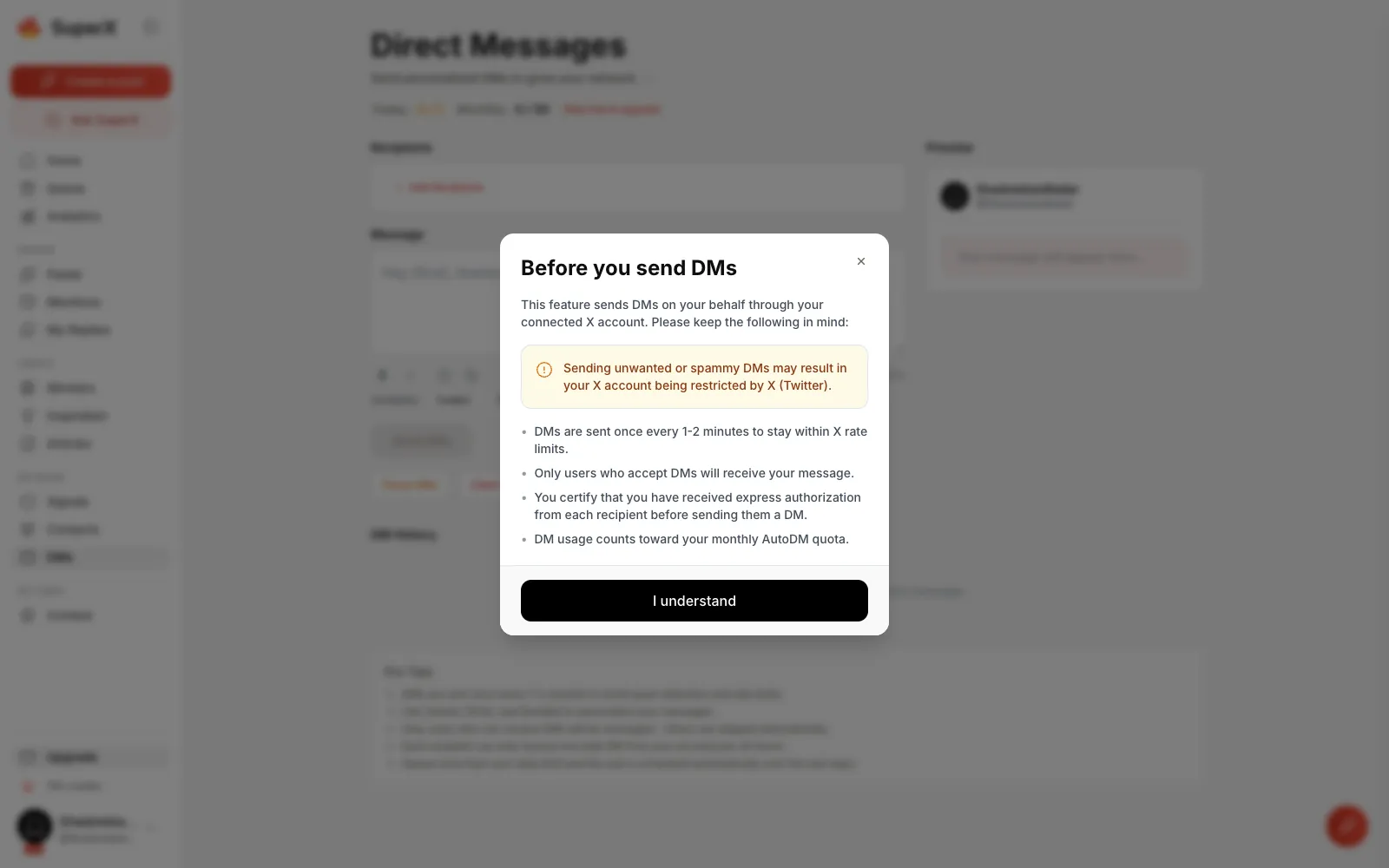
X's automation rules apply to every tool, superX included: write replies that add something to the conversation.
If your reach drops one day, check your account with our free Twitter (X) shadowban test, which runs the 4 checks (search suggestion ban, search ban, ghost ban, reply deboosting) in seconds. The shadowban glossary defines each term.
How much does superX cost?
superX has three plans, from $49 a month. Prices read in the app on October 3, 2026:
| Plan | Monthly price |
|---|---|
| Pro | $49 |
| Advanced | $49 at launch price (normally $99) |
| Ultra | $99 at launch price (normally $199) |
Paying yearly gives 2 months free. Every plan includes the web app and the Chrome extension.
What does superX Pro include?
- 5 X accounts and 500 posts a month
- 750 AI credits and X Articles
- 1 Signals agent and 1,000 auto-DMs
- Bluesky cross-posting, API, CLI and MCP
What does superX Advanced add?
- AI post and thread writer
- 1,500 AI credits with advanced models
- Engage with 750 replies a month
- 3 Signals agents and the 10M+ viral posts library
What does superX Ultra add?
- 10 X accounts, 3,000 posts and 3,000 Engage replies a month
- 4,000 AI credits and priority support
Is superX's price a problem?
Not at the launch price. At $49 a month, superX Advanced costs the same as Pro and adds the AI writer and the large library, so it is the plan I would take.
The trial is short (3 days in my test) and asks for a card, so plan your test:
- connect your account;
- run Ask SuperX on your numbers;
- try a worker;
- then decide.
Cancelling takes one click in the Billing tab.
superX vs Tweet Hunter and Postiz: which one?
superX is the pick for X alone with an AI assistant, Tweet Hunter for a viral library and a CRM, and Postiz for many networks.
| Tool | Networks | Best for |
|---|---|---|
| superX | X, with cross-posting to Bluesky | X as your main network, with an AI assistant on your numbers |
| Tweet Hunter | X | A viral post library and a CRM |
| Postiz | Many networks | Publishing on many networks at once, with an open-source tool |
superX vs Tweet Hunter
Both superX and Tweet Hunter focus on X and both offer a viral post library, scheduling and auto-DMs. superX stands out with Ask SuperX, which works from your own numbers, and with workers that draft in your voice.
Tweet Hunter, from $29 a month, suits people who mainly want the library and a CRM. Read my Tweet Hunter review or the full superX vs Tweet Hunter comparison.
superX vs Postiz
Postiz schedules posts on many networks and is open source. superX goes deeper on X alone, with analytics, replies and an AI assistant built for X.
If X is your main network, superX fits better. Read my Postiz review, or see superX alternatives.
Is superX worth it? My verdict
superX is the most complete growth tool for X I have tested, and I recommend it if you post on X every week. Three things set it apart:
- its AI assistant reads your real numbers and turns them into advice and drafts;
- its workers fill your queue in your voice;
- its scheduler handles the follow-up automations for you.
The trial is short and the AI drafts deserve a quick read, which is true of every AI writer. Neither changes my view: superX saves real time and gives clear direction on what to post next.
If you post on X every week, I recommend it.
We earn a commission if you subscribe through our links. It does not change the score.
Price
Free plan
Trial
Best for
Prices checked on October 3, 2026
What we liked
An AI assistant that reads your real X numbers
Drafts in your own voice from the first minute
Scheduler with smart time slots, auto-plug and auto-DM
Library of viral posts with outlier scores and fine filters
Safeguards built in: AI drafts wait for your approval
Advanced plan at $49 a month during the launch offer
What we liked less
Short trial: 3 days in my test, card required
AI drafts need a quick read before you post them
Our verdict
superX is the most complete growth tool for X I have tested: an AI assistant that reads your real numbers, drafts in your own voice, a smart scheduler and built-in safeguards for your account. If you post on X every week, I recommend it.
These are affiliate links. They never change what you pay.
Update history
- First published after hands-on testing.