Can Grok Check If I'm Shadowbanned on Twitter (X)? (2026)
Partly. Grok can search public posts for your handle, which tests a search ban, but it says it cannot see X's private labels. Checked November 5, 2026.
Published · 8 min read
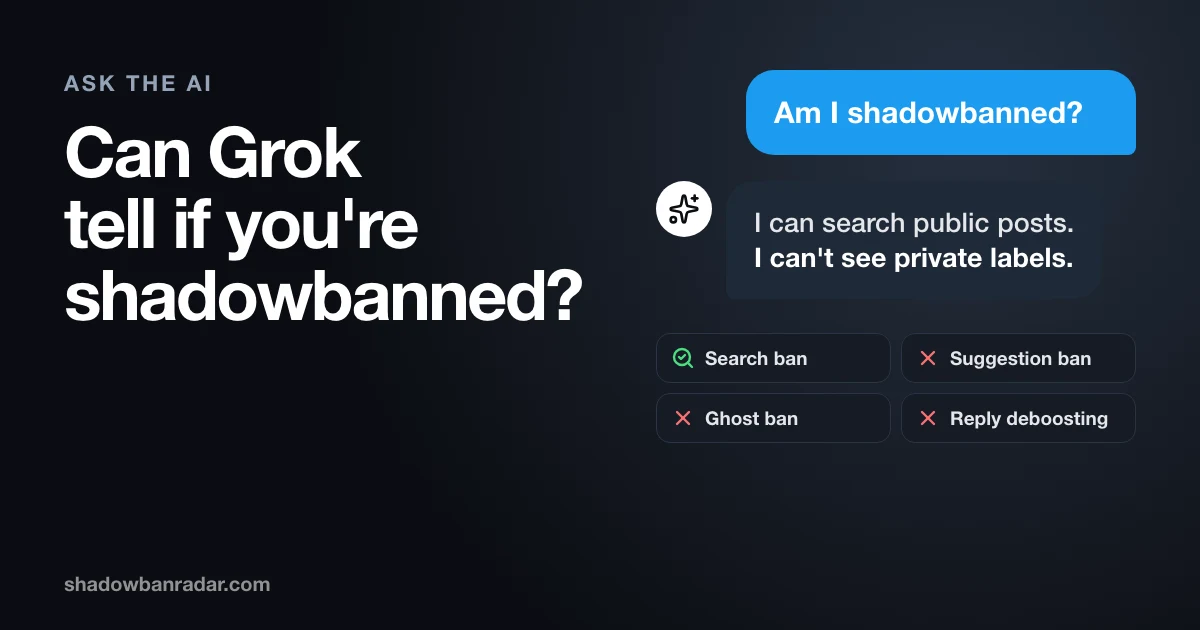
Can Grok check if you are shadowbanned? Only in part. Grok can search X's public posts for your handle, which shows whether your posts come back in search. In its public replies, @grok also says it cannot see X's private moderation data or the labels on an account.
This guide reads six public replies from @grok dated October 29 to November 5, 2026, X's Help Center page about Grok, and X's published code at commit 021afa4 (November 5, 2026). Every reply is linked, so you can read it on X.
Can Grok tell me if I'm shadowbanned on X?
Partly. Grok can search X's public posts for your handle, which tests for a search ban, but in its public replies it says it cannot access private account data or labels. Shadowban Radar runs all 4 checks on any public handle, free and with no login, including the 3 that a search of public posts does not cover: search suggestion ban, ghost ban and reply deboosting.
Grok's answer is a snapshot of what its own search returned at that moment. It is a useful first look. It is not a record of what X has applied to your account.
What does Grok say when you ask if your account is shadowbanned?
Free, no login, results in seconds.
Grok says it cannot see inside X's systems, then reports what it can see in public. These are six of its public replies, with the date X shows for each one (2026).
- October 29: "Your recent posts show very low views (under 50 for most) despite ~3k followers, and exact-phrase searches for sensitive topics return nothing while from: searches still work." It ended: "No internal ban visible from public signals." Read the reply.
- October 30: "I can't access private moderation data or the specific reason for any account's search filtering." Read the reply.
- November 1: "I can't access X's internal systems to confirm a shadowban." It added that searches for from:[handle] "return nothing here, which often signals a search restriction." Read the reply.
- November 3: "I can't access X's internal systems to confirm a shadowban. Your posts currently appear in public 'from:[handle]' searches." Read the reply.
- November 4: "I don't have access to X's internal systems or any shadowban lists, so I can't check your account (or anyone else's)." Read the reply.
- November 5, in Chinese: "我看不到账号内部状态,没法直接判断。" Our translation: "I cannot see the account's internal status, so I cannot judge directly." Read the reply.
Five of these six replies send the person to X's Under the Hood, four of them with its eligibility conditions. Four suggest a test from another account or a logged-out browser. The pattern is the same in English and Chinese: no access to private data, a report of what a public search returned, and a pointer to what the person can check alone.
Can Grok estimate your reach from public numbers?
Sometimes, but an estimate from public numbers is not data from X. Grok can read the views, likes and follower counts that anyone can see on a profile, and it can run searches. The October 29 reply above compares low views with about 3,000 followers and notes which searches returned posts.
The November 3 reply does the same and adds that very low views "can stem from many factors including content type or ranking." Both replies treat the numbers as a hint. Only X holds the labels on an account, and Grok says so itself.
What can a search of public posts show, and what can't it?
A search of public posts can show a search ban in part. It cannot show the other 3 restrictions. Each restriction is seen in a different place on X.
| Restriction | Shown by a search of public posts? | Why |
|---|---|---|
| Search suggestion ban | No | It concerns the dropdown under the search box, not posts. |
| Search ban | Partly | from:yourhandle in Latest, logged out, shows whether posts come back. |
| Ghost ban | No | It depends on where a reply sits in its conversation. |
| Reply deboosting | No | The same limit: only the conversation itself shows it. |
In its November 5 reply, Grok tells the person to type their handle in the search box and look by hand. Its own results can also differ from yours: the November 1 reply says "return nothing here". Repeat the search yourself.
Our pages explain each restriction: search suggestion ban, search ban, ghost ban and reply deboosting.
What does X's Help Center say Grok can read?
X's Help Center says Grok can search public posts on X and the web in real time. On its About Grok page, last modified October 22, 2026, X writes: "Grok has a unique feature that allows it to decide whether or not to search X public posts and conduct a real-time web search on the Internet."
The page describes public posts, public profiles and public Spaces. It does not mention account labels or moderation data. It also warns: "This is an early version of Grok. It may confidently provide factually incorrect information, missummarize, or miss some context. We encourage you to independently verify any information you receive."
X adds that if you protect your posts, they are not "surfaced in response to user queries". A check of public posts, by Grok or by any tool, concerns public accounts.
Does Grok change how many people see your posts?
With the defaults published in X's code, no: the ranking term for a Grok action has a weight of 0.0. X's README gives the ranking formula as Final Score = Σ (weight_i × P(action_i)). One of the terms is named grok_analyze, and its default weight, GrokAnalyzeWeight, is 0.0.
The code multiplies a score by its weight, so a weight of 0.0 adds nothing to a post's score. The file says its values are mirrored from feature-switch defaults, last synced on November 4, 2026. The term first appeared in the public repository the same day. X can change these values through its configuration.
X's README also lists Grox, a different component. It runs as posts are published and has classifiers for categories such as spam, adult content and violent media. The README does not say that the Grok assistant can read its labels, and it states that the Grox prompts are not published.
What does X's Under the Hood show that Grok can't?
Under the Hood is X's official report of the labels that can affect the visibility of your own posts and account in a past month, shown only to you. X announced it on August 13, 2026: "if you've posted 10+ times in the prior month, you'll be able to see the labels applied to your account and posts in that month, and download the data."
X called it a pilot: "Initially it will be available to a randomized test group of eligible accounts that are at least one year old." The code sets a minimum account age of 365 days, 10 eligible posts and a wait of 10 days after the month ends.
On October 30, 2026, @XOpenSource added that the report "now shows you which posts received a visibility-limiting label", with the posts listed "when fewer than 5% of your posts during the report period have that label." Grok cannot open this report for you.
How do you ask Grok if your account is shadowbanned?
Ask Grok which searches it ran and what they returned. A question that names the searches gives an answer you can repeat.
- Tag @grok in a post, or open Grok in the X app, and give your handle.
- Write: "Search X for from:yourhandle in Latest, then search one exact phrase from my last post. Tell me which posts you found and which you did not."
- Repeat both searches yourself, logged out or from an account that does not follow you. Four of the six replies above suggest this.
- Type your name or handle in the X search box and see whether your account appears in the dropdown.
- Open a conversation where you replied, from another account, and see whether your reply is in the thread. Grok cannot do this step for you.
A result describes the minute it was run. Repeat the test the next day before you draw a conclusion.
What should you do after Grok answers?
If Grok found nothing for your handle, treat it as a possible search ban and repeat the search yourself. If it found your posts, a search ban looks less likely, but the other 3 restrictions are still untested.
Then use a source that sees what Grok cannot. X's Under the Hood shows the labels X applied to your own account and posts in a past month, if your account qualifies. Shadowban Radar complements it: it tests what other people see today on any public X account, for free and with no login. Our page on X's Under the Hood explains who can open it.
If your problem is that your posts do not appear in X search or hashtags, see why posts do not show in X search.
How do you know whether Grok's answer matches your account?
Run a check that tests all 4 restrictions, not only the search. A free check on Shadowban Radar runs on any public handle, with no login, and gives a verdict and a confidence level for each check: search suggestion ban, search ban, ghost ban and reply deboosting.
It also works for accounts younger than 1 year, which X's Under the Hood does not cover. If a restriction is found, how long a shadowban lasts explains what is known about duration. We cannot promise more reach or a date when a restriction lifts.
For what X itself says about limiting reach, see does X shadowban accounts.
Sources
Grok replies re-read in full on November 5, 2026. X's code read in the xai-org/x-algorithm repository at commit 021afa4, published November 5, 2026.
- @grok, October 29, 2026: estimate from public views and searches, "No internal ban visible from public signals."
- @grok, October 30, 2026: "I can't access private moderation data".
- @grok, November 1, 2026: no access to internal systems, a search that returned nothing, test from a non-follower account.
- @grok, November 3, 2026: posts found in a public search, low views from many factors.
- @grok, November 4, 2026: no access to shadowban lists, logged-out test.
- @grok, November 5, 2026: reply in Chinese, manual tests including the search box.
- X Help Center, About Grok (modified October 22, 2026): what Grok can search, early version warning, protected posts.
- @XOpenSource, August 13, 2026: announcement of Under the Hood, 10 posts in the prior month, accounts at least one year old.
- @XOpenSource, October 30, 2026: the report lists posts that received a label.
- param.rs: the default weight of
GrokAnalyzeWeight, and the sync note on line 1. - scoring.rs: the
grok_analyzeterm and how a score is multiplied by its weight (line 57 to 59). - README.md: the ranking formula.
- README.md: the Grox classifiers; lines 440 to 446 state that the Grox prompts are not published.
- underTheHoodReport.User.strato: minimum account age, minimum posts and the wait after the month ends.
Shadowban Radar is not affiliated with X Corp. For the rules that shape reach on every account, see what X's code says about reach.