Is My Twitter (X) Account Restricted? How to Check (2026)
Is your Twitter (X) account restricted? X announces locked, limited and read-only accounts but hides 4 other restrictions. Check both in about 2 minutes.
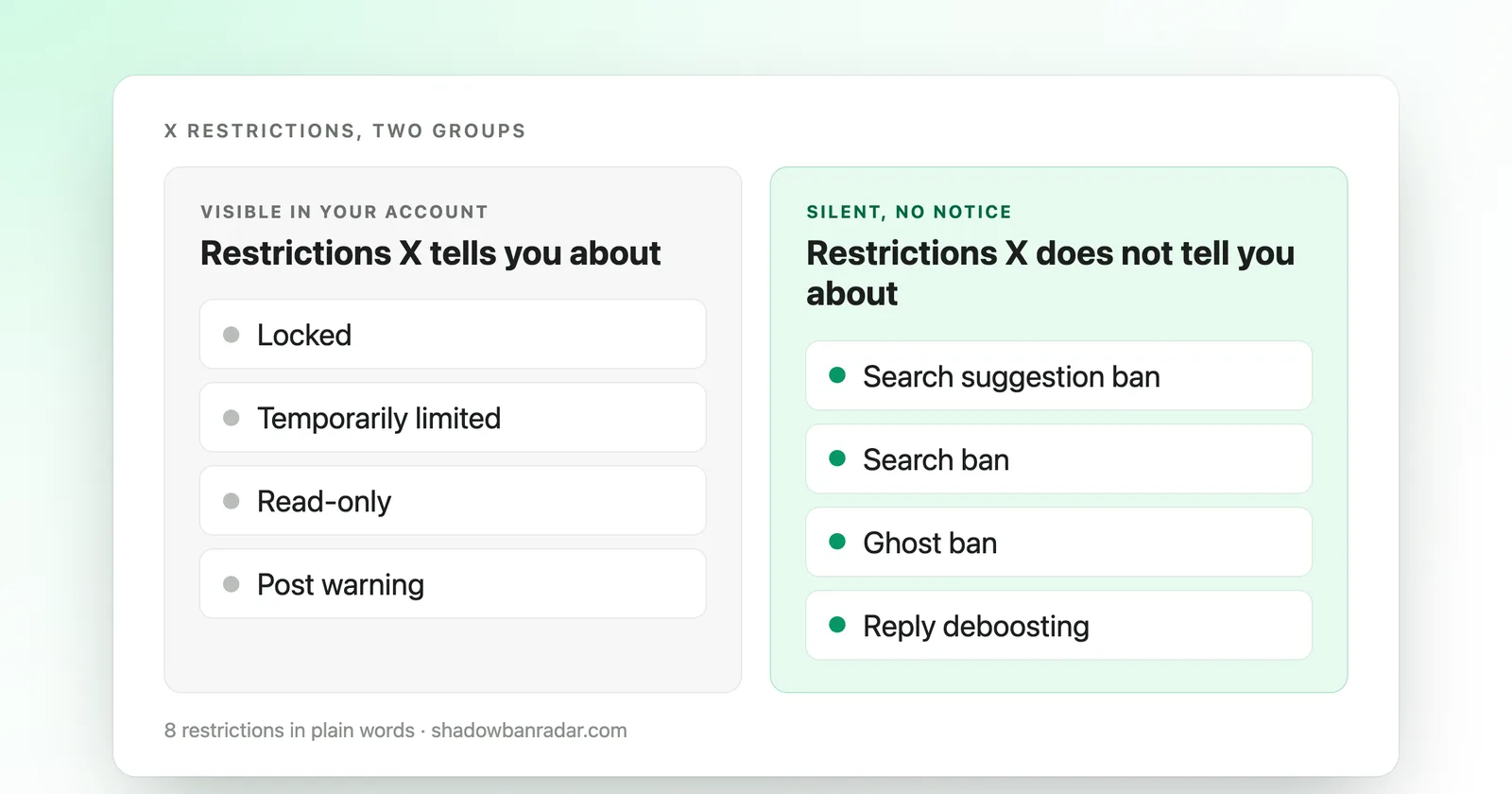
To know whether your Twitter (X) account is restricted, check two things. First, look for a notice X shows when you log in: locked, temporarily limited, or read-only. Second, test the 4 restrictions X does not announce: search suggestion ban, search ban, ghost ban, and reply deboosting. Each takes about 2 minutes by hand, or a few seconds with a free check.
What are the 2 kinds of restriction on X?
X restricts accounts in two ways: some it announces, and some it does not.
The restrictions X announces show up as a message when the account holder logs in:
- locked
- temporarily limited
- read-only
- a warning on a specific post
The restrictions X does not announce show up nowhere in the account's own session. They only change what other people see when they search, reply, or scroll.
A shadowban on Twitter (X) is a hidden limit on account visibility: posts, replies or profiles may reach fewer people without a notice.
Checking only the visible side and assuming the account is fine misses the second kind entirely.
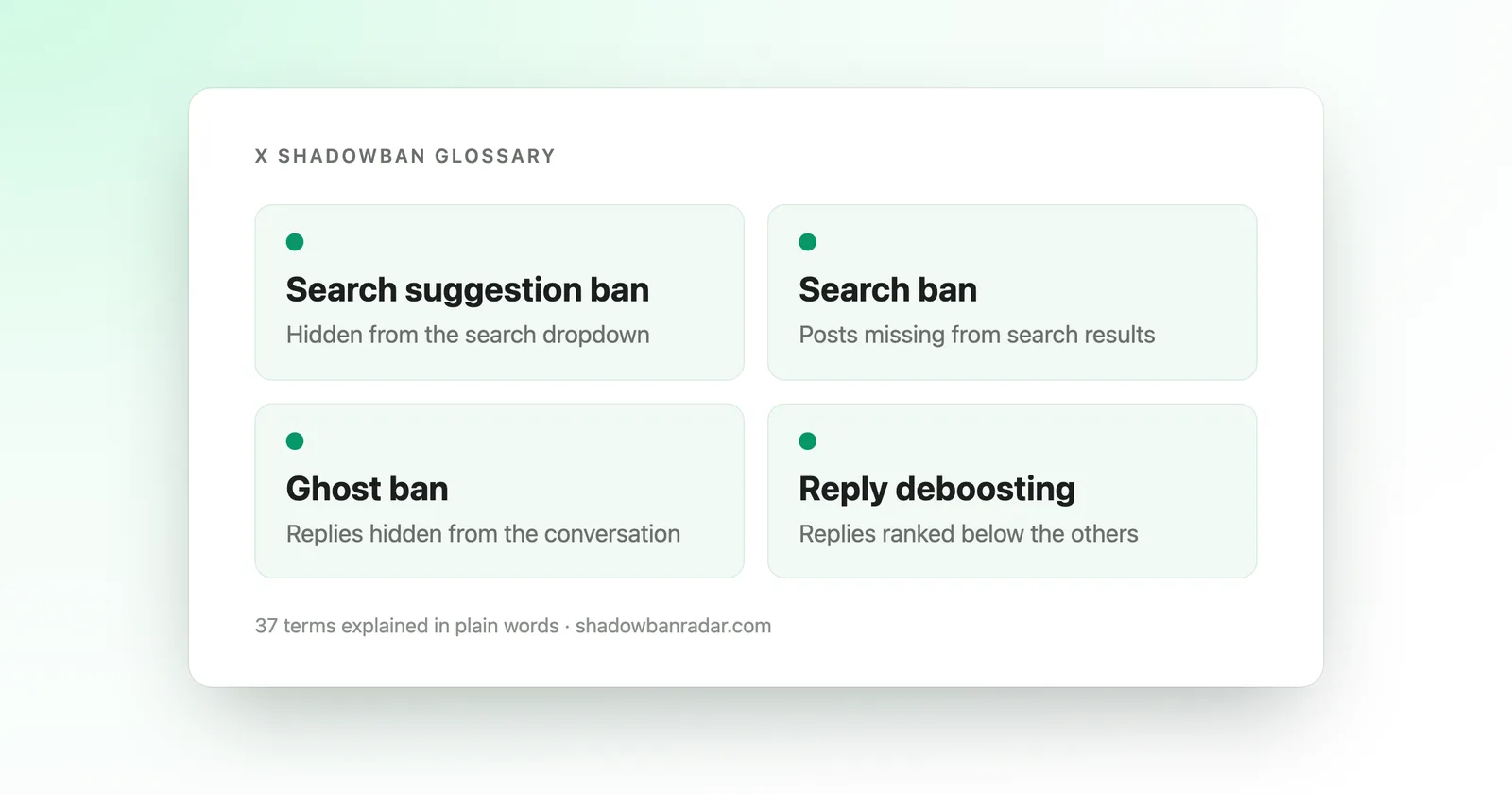
Short definitions of every term on this page are in the X shadowban glossary.
Which restrictions does X announce?
Free, no login, results in seconds.
X announces 4 kinds of restriction with a message inside the account, described on its own help pages: locked, temporarily limited, read-only, and a warning on a specific post.
What happens when an X account is locked?
A locked X account cannot sign in or interact. X locks an account after too many failed sign-in attempts, or when it flags suspicious activity.
A lock tied to failed logins clears on its own, typically within about an hour. A lock tied to suspicious activity may ask for phone or email verification before it lifts.
Either way, the account holder sees a message until it clears.
What does "temporarily limited" mean on X?
A temporarily limited X account has certain functions restricted for a period. X's own help documentation says it may do this when it detects behavior that may violate the X Rules or inhibit other people's ability to express themselves freely.
While an account is limited:
- Only its followers may see its activity (posts, likes, reposts).
- The account and its posts can be filtered out of search results and notifications.
X shows a message with a countdown to restore all functions when this applies. A limit can look unexplained from the inside, but X ties it to detected behavior, not to chance.
X covers these notices on its help page for locked or limited accounts.
What is read-only mode on X?
Read-only mode on X lets an account browse and, in some cases, use direct messages, while blocking posting, retweeting, and liking.
It is usually temporary and tied to an ongoing review. It is also visible: the account holder sees the restriction directly when trying to post.
Can X flag a single post?
Yes. X can attach a notice to an individual post, for example flagging it as potentially violating X's rules. The account as a whole is not restricted. The notice is visible on the post itself.
None of these 4 require any outside checking: if one applies, X already told the account holder. What it does not tell them is covered next.
Which restrictions does X not announce?
X does not announce 4 restrictions: search suggestion ban, search ban, ghost ban, and reply deboosting. Shadowban Radar measures them as its 4 checks, because nothing inside the account's own session shows them.
Each hides a different kind of visibility, and an account can have one without the others.
| Restriction | What it hides |
|---|---|
| Search suggestion ban | Hides the account from the search dropdown when people type the handle |
| Search ban | Removes posts from search results entirely |
| Ghost ban | Detaches replies from the conversations they belong to |
| Reply deboosting | Pushes replies out of the sort order everyone reads |
How can I test each hidden restriction by hand?
Each hidden restriction has a manual test of about 2 minutes, run from a second account that does not follow the one being checked. X personalizes what each viewer sees, so a logged-in session of the account itself is not a reliable read.
- Search suggestion ban: type the exact handle in the X search box. No dropdown suggestion while the profile opens fine means a suggestion ban.
- Search ban: search
from:yourhandlein the Latest tab. Zero results while the account has recent public posts means a search ban. - Ghost ban: open a conversation replied to recently and look for that reply in both the default sort and Latest. Absent in both means a ghost ban.
- Reply deboosting: in the default sort, check where a reply ranks. Consistently last or hidden behind "Show more replies" means deboosting.
The full walkthrough of all 4 checks covers this step by step. The free automatic check runs the same 4 tests in a few seconds.
Which kind of restriction applies to my account?
Start with the visible side: log into the account and look for a message (locked, limited, read-only, or a notice on a specific post). If there is one, it names itself, and X's own recovery steps apply.
If there is no message but something still feels off, such as posts getting fewer views than usual or replies going unanswered, that points toward the hidden side.
A falling view count alone does not confirm which of the 4 hidden restrictions (if any) applies. See why views drop on X for what a drop usually means before assuming a restriction.
For how often the hidden restrictions show up in practice, see X shadowban statistics, September 2026. The shadowban rate by country on X breaks the same data down by visitor country.
An account can carry a visible and a hidden restriction at the same time, or neither. Checking only one side and stopping there is the most common reason a real restriction goes unnoticed. It is also why a normal dip sometimes gets mistaken for one.
What should I do once a restriction is confirmed?
What to do depends on the kind: a visible restriction comes with instructions from X, and a hidden one does not.
For a visible restriction, X's own notice generally states what it wants:
- complete a verification step
- wait out a countdown
- remove a flagged post
For a hidden restriction, there is no notice to follow. That is why how to fix a shadowban on X walks through the causes tied to each of the 4 checks and what tends to change the outcome.
No third party, including Shadowban Radar, can lift a restriction X has applied. Only X can.
If you use a scheduler or other automation, X's automation rules explain what counts as automation. The Hypefury alternatives and best X growth tools guides cover scheduling options.
How do I check both kinds in one place?
Shadowban Radar runs a free Twitter (X) shadowban test on any public account, with no login or password: 4 checks (search suggestion ban, search ban, ghost ban, reply deboosting), a verdict, and a confidence level for each check.
To fully answer "is my account restricted", do both:
- Run the free check on Shadowban Radar to see all 4 hidden restrictions side by side.
- Confirm separately whether X has shown a visible notice on the account itself.
To keep an eye on an account over time instead of checking once, see X shadowban monitoring.